

Helpee Hands (Partner App)
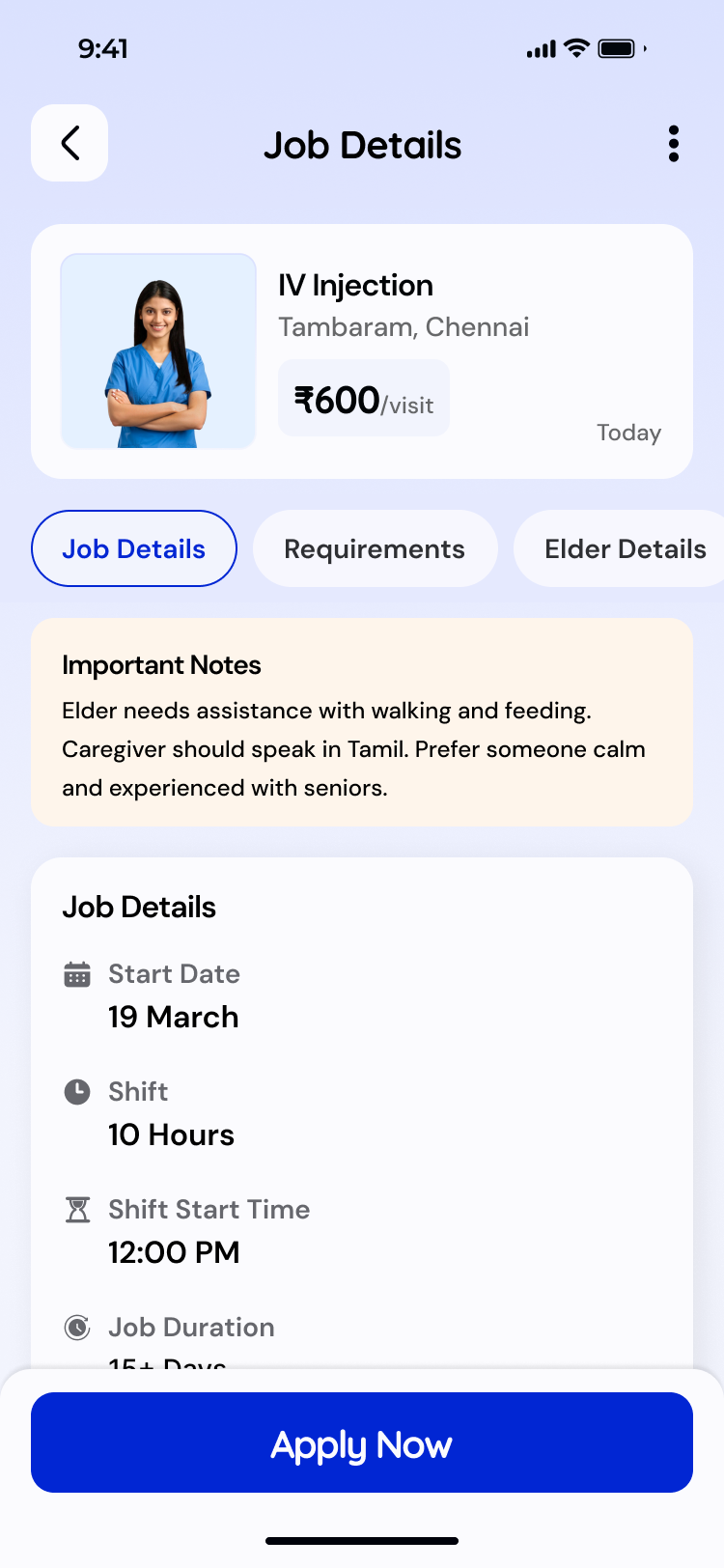
Find a Matching Job
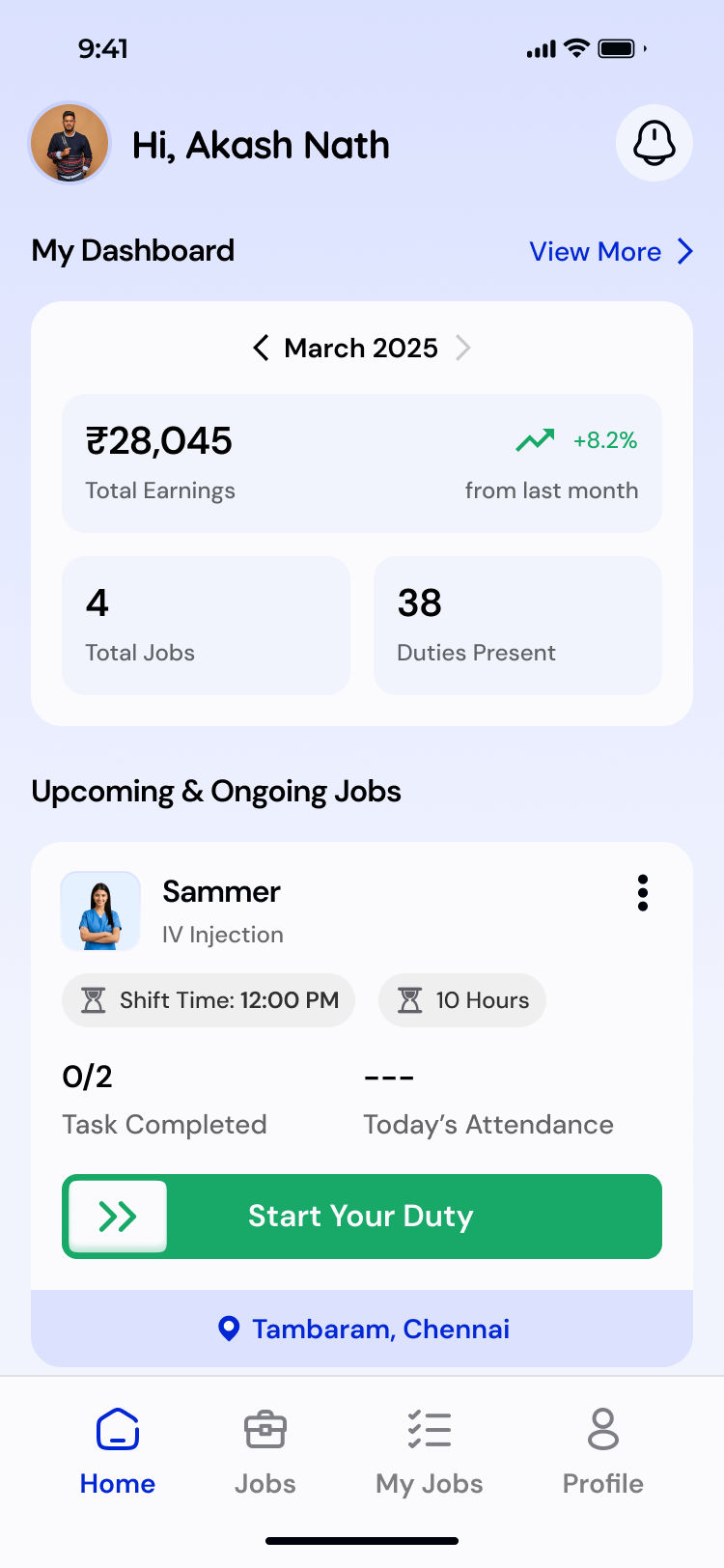
Track your Attendance
Track your Earnings
About the Project
This app helps caregivers find the right jobs quickly by matching their profiles with customer needs while giving them a simple way to manage attendance, tasks, and earnings. It bridges the gap between caregivers, customers, and care managers to create a smoother, more transparent care experience.
Design Process
1
Understanding & Research
(1-2 Weeks)
2
Ideation & User Journey
(2- 3 Weeks)
3
Styles & Design
(3 - 5 Weeks)
4
Testing & Iteration
(5 - 8 Weeks)

Problem Statement
- Many confirmed leads fail because we can’t quickly find the right caregiver who matches the customer’s needs.
- Matching caregivers to the right jobs was inefficient, since job requirements and caregiver details weren’t aligned in a unified, structured system.
- Caregivers lacked a clear way to mark attendance, track earnings, and stay connected with customers, leading to confusion and weak service transparency.
These issues impact customer trust, reduce successful deployments, and weaken overall service quality.
Key Insights From Users
- Simple profile creation with clarity on job roles
- Job recommendations based on skills, location, and availability
- Transparent attendance and daily task workflow
- Easy way to track how much they earned


Solution
1
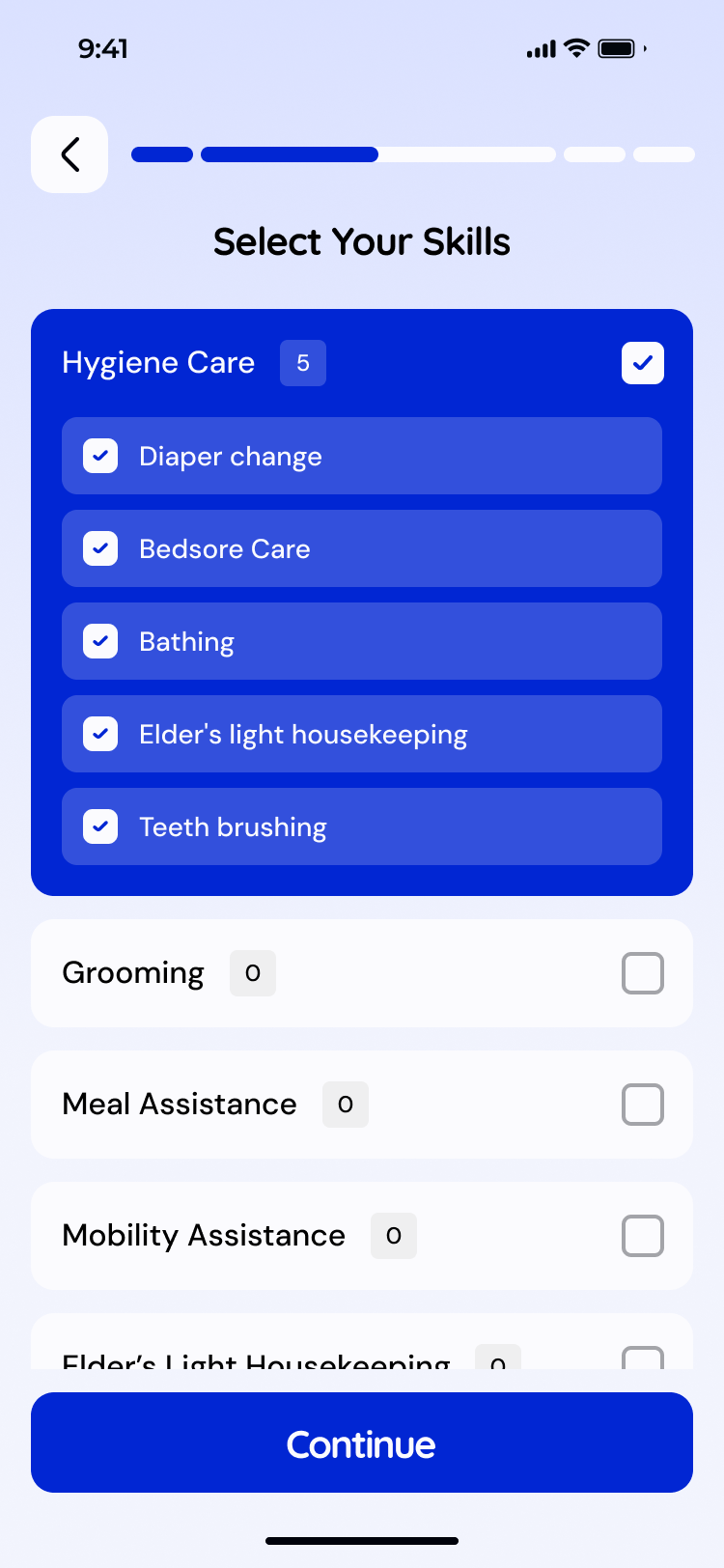
Structured Profile Creation for Better Matching
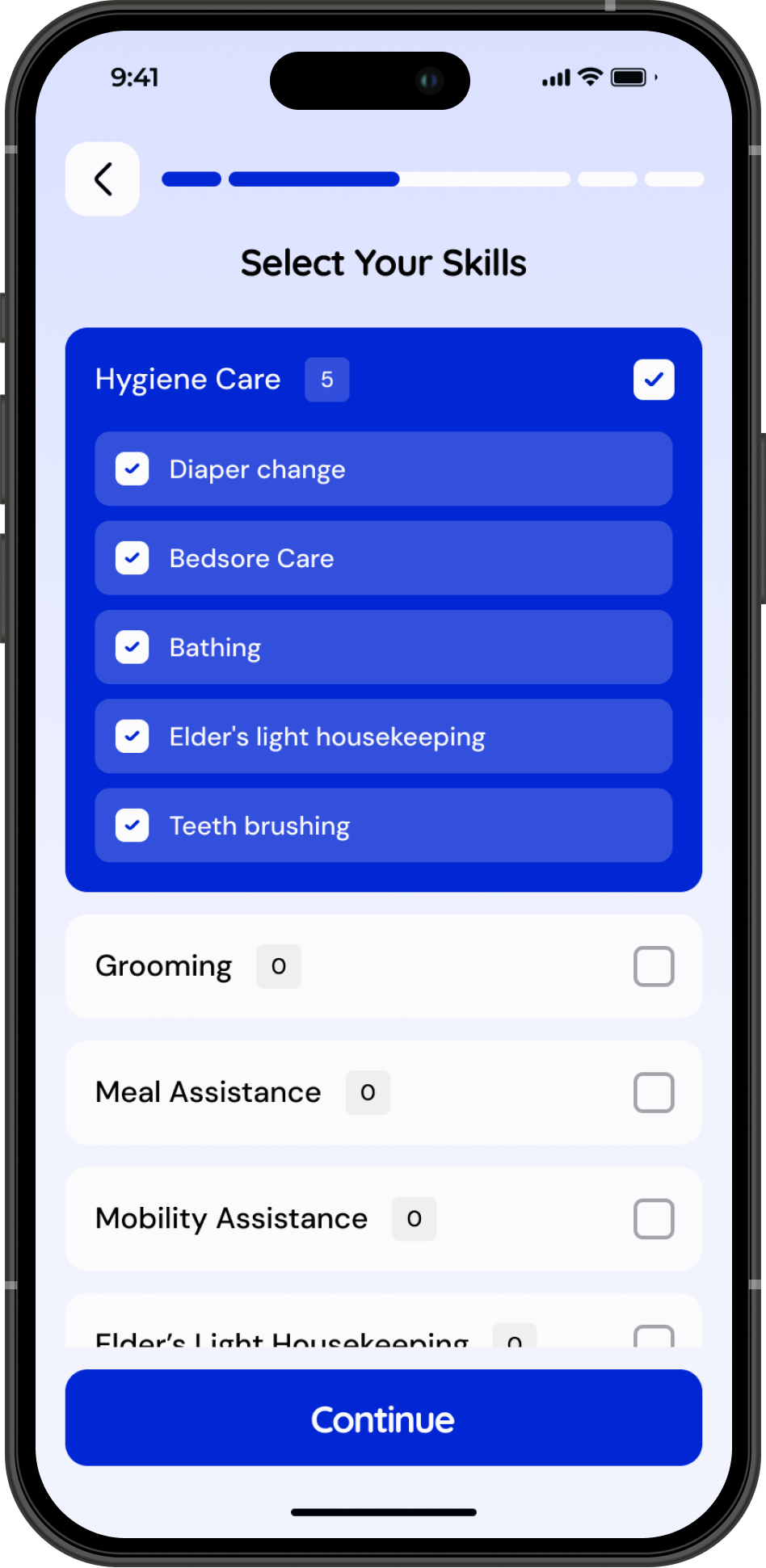
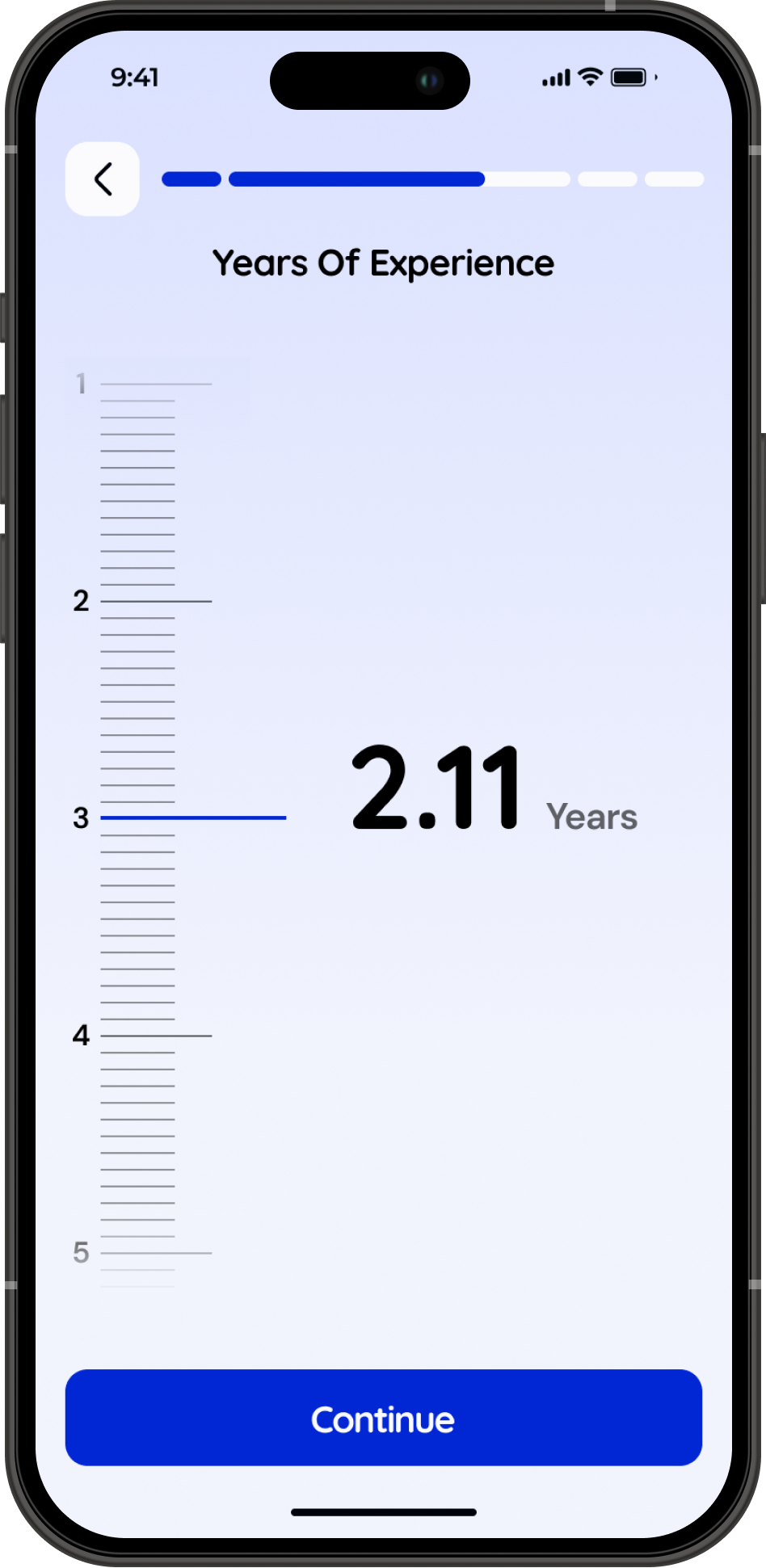
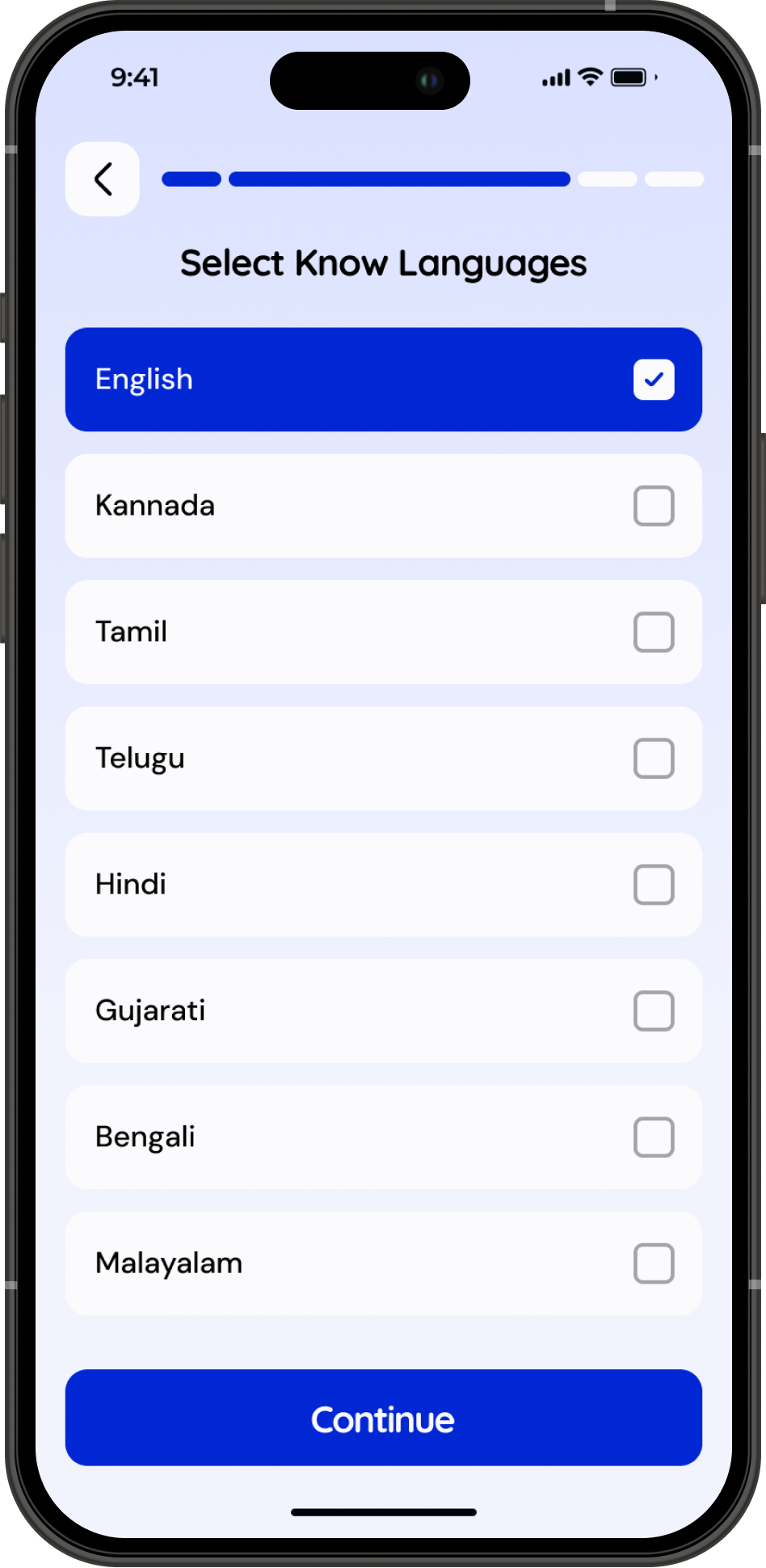
Caregivers create a complete, verified profile with a role selection, experience, skills, location, and availability. This structured data increases the quality of matches and boosts the lead-to-deployment conversion with a seamless experience. This seamlessness is achieved by reducing cognitive load for all users.




2
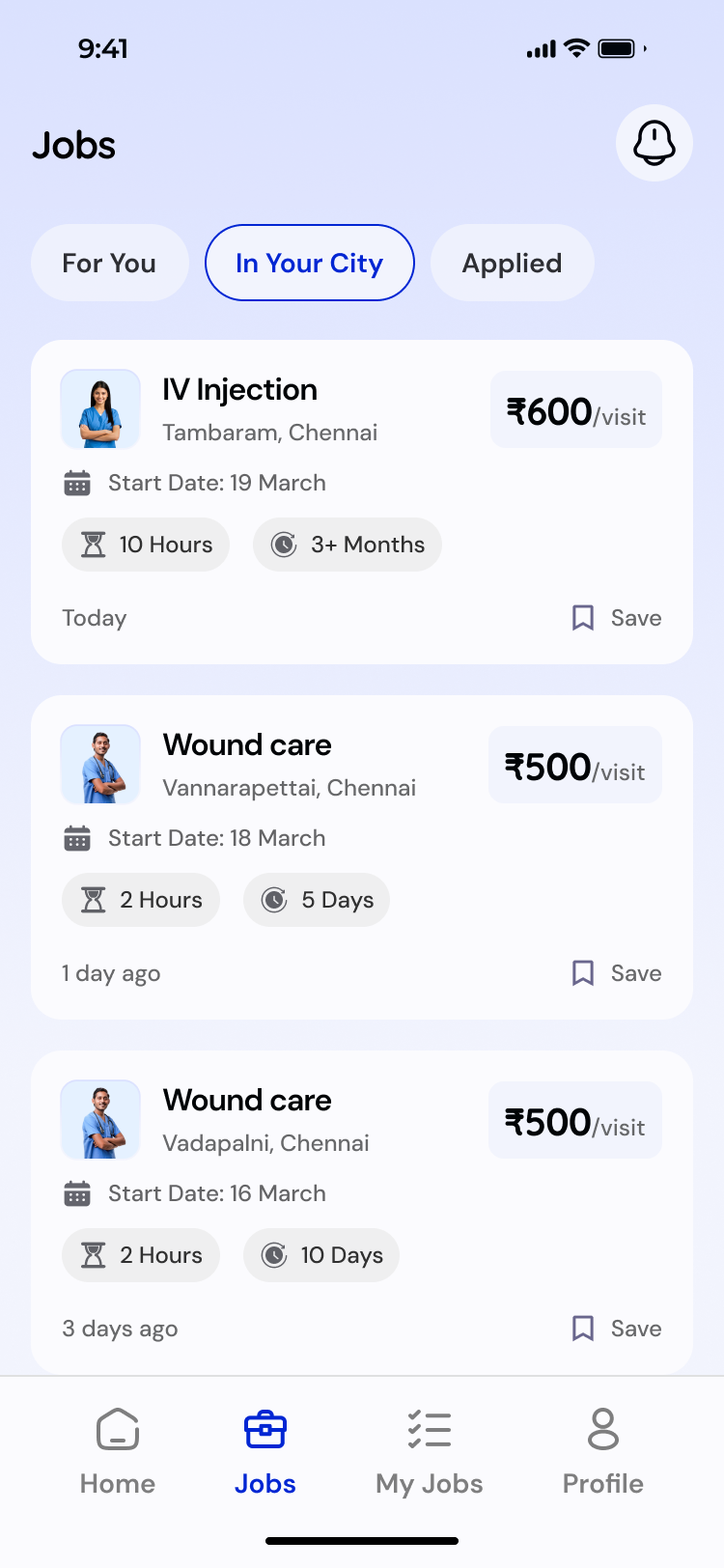
Job Matching With Location
The app surfaces relevant jobs based on the caregiver’s profile, preferred location, and skill level. This improves matching accuracy and reduces time spent searching through irrelevant job postings.


3
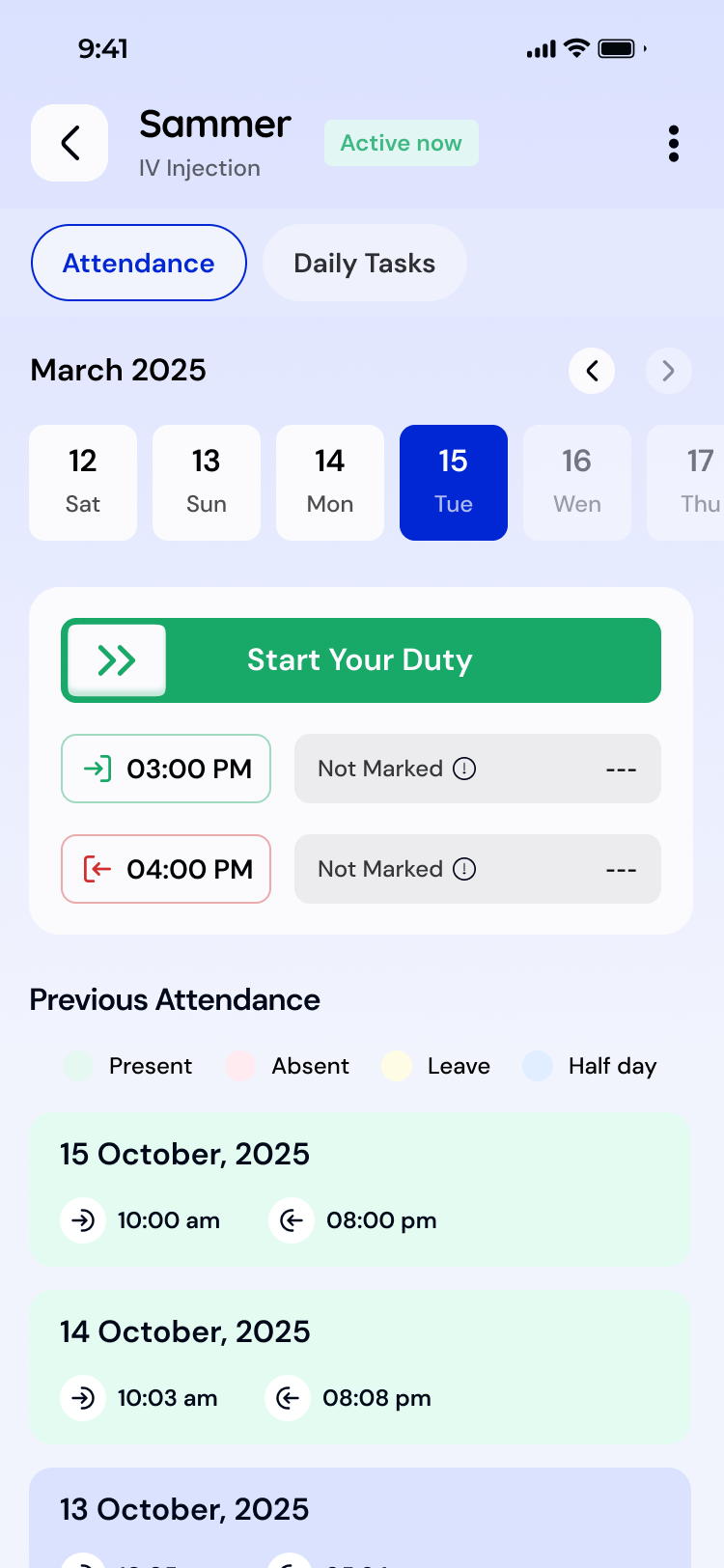
In-App Attendance, Tasks & Earnings Tracking
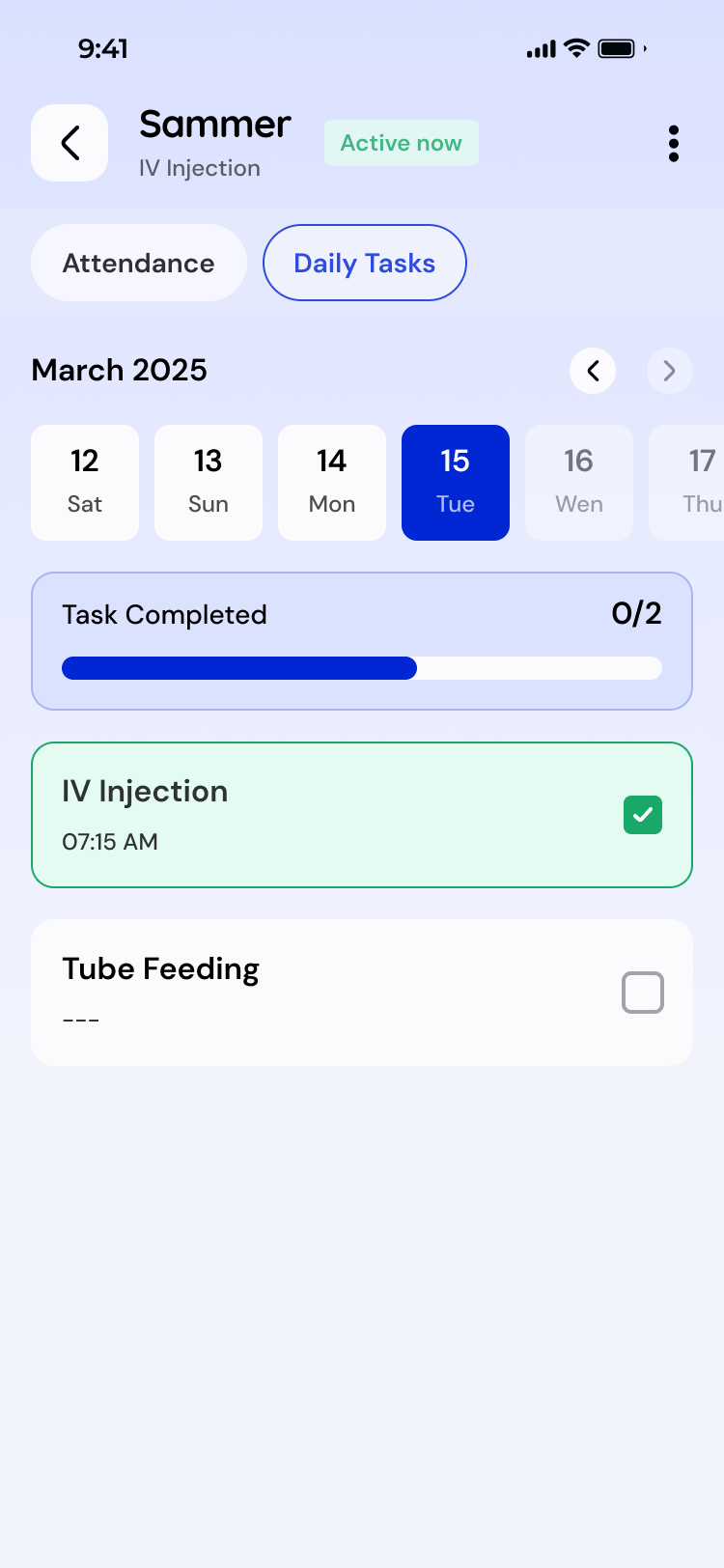
Caregivers can mark attendance, update daily tasks, and monitor their earnings inside the app. This builds discipline, reduces dependency on manual communication, and increases transparency for both caregiver and customer.



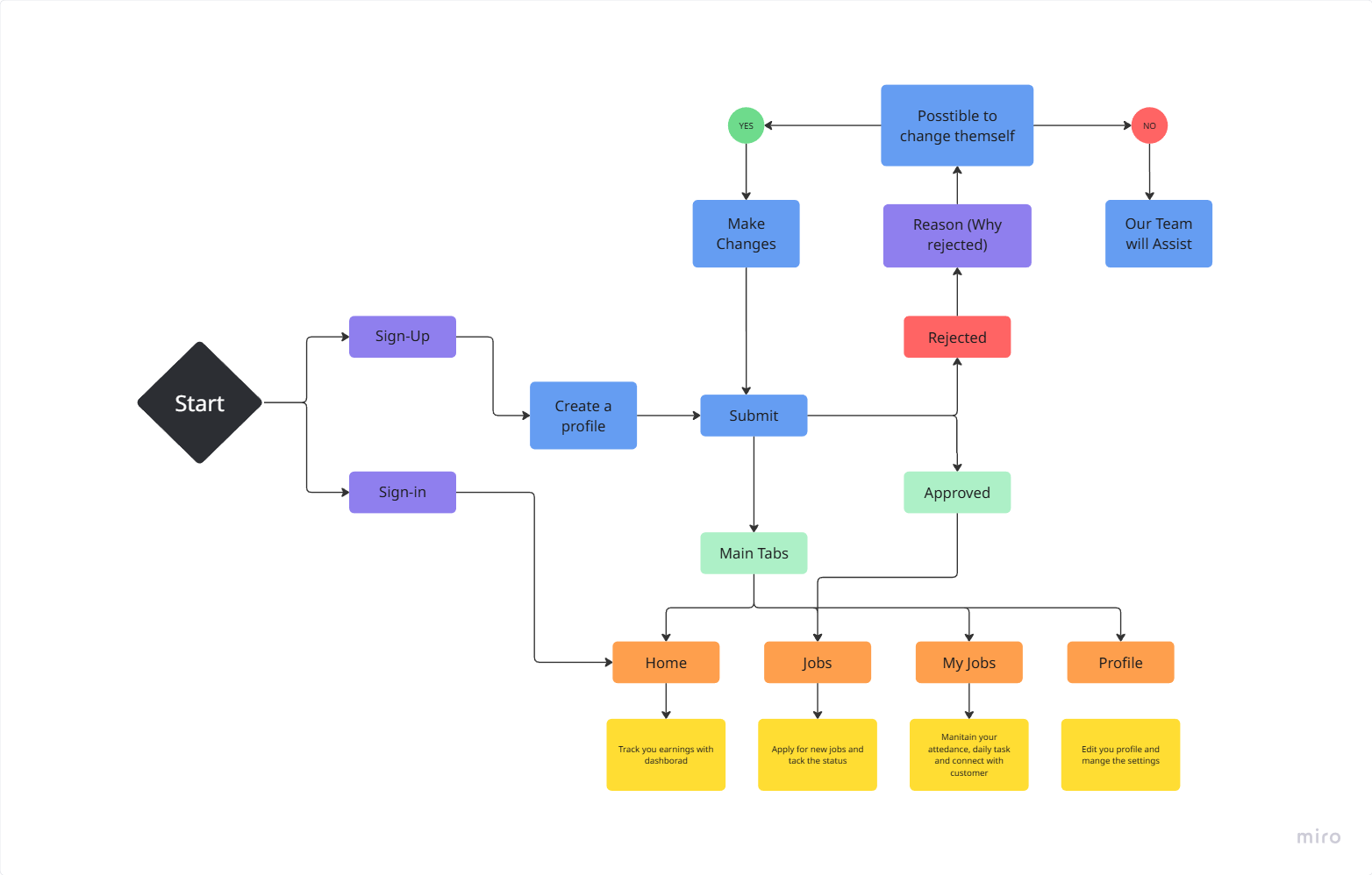
To create a clear foundation for the design, I drafted the full user flow to understand every step of the caregiver journey.
User Flow
Styles
Colors
Typography
Buttons
#0126D3
#0934FE
#18A867
#D32F2F
#F98F25
#00020B
#66676D
#F2F4FD
I selected Quicksand for headings to bring a friendly, approachable personality to the interface, while DM Sans is used for body text and descriptions to ensure high readability and smooth scanning across screens.
Quicksand
DM Sans
Bold
SemiBold
Medium
User Journey With Screens
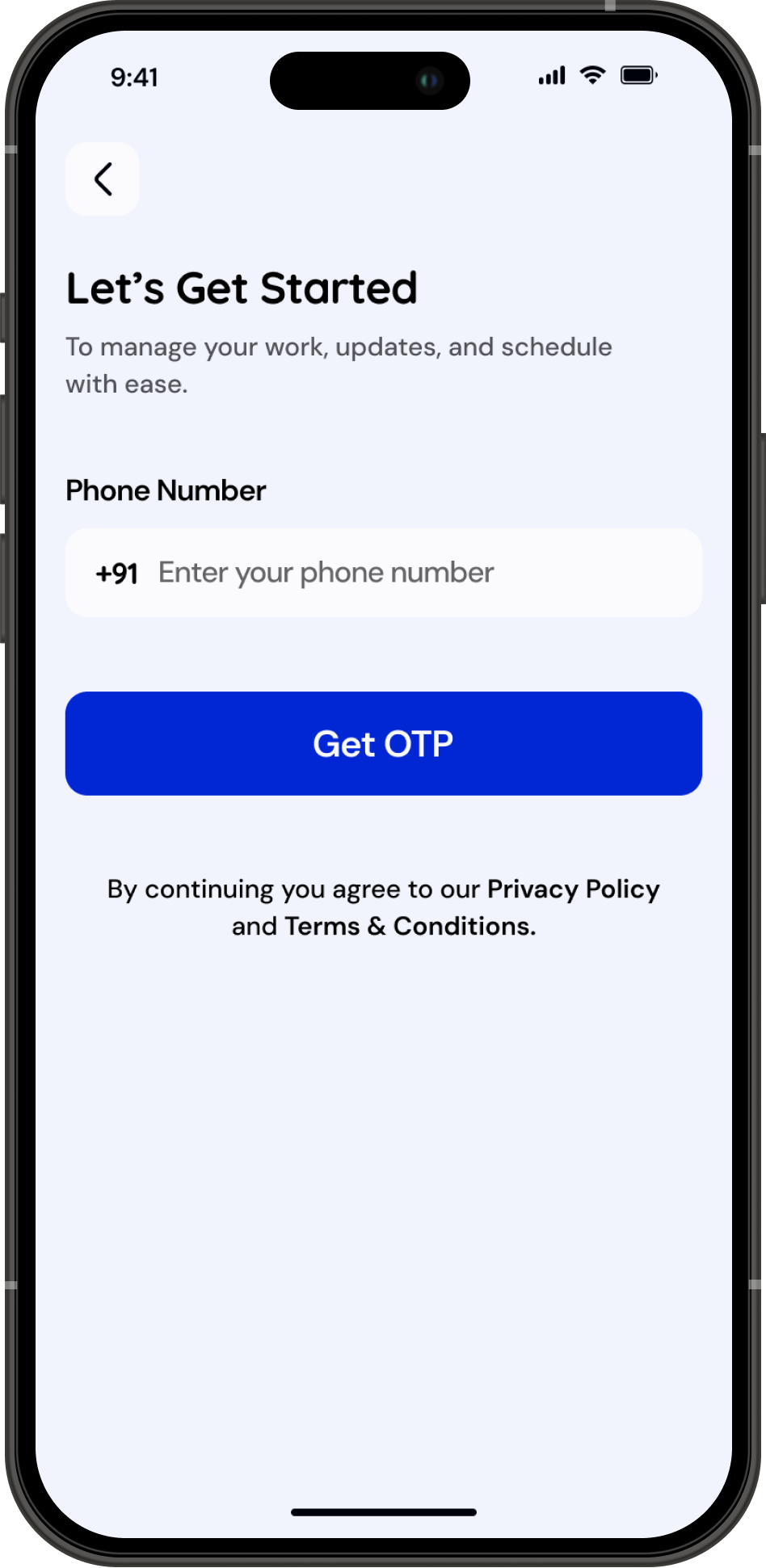
Onboarding & Login

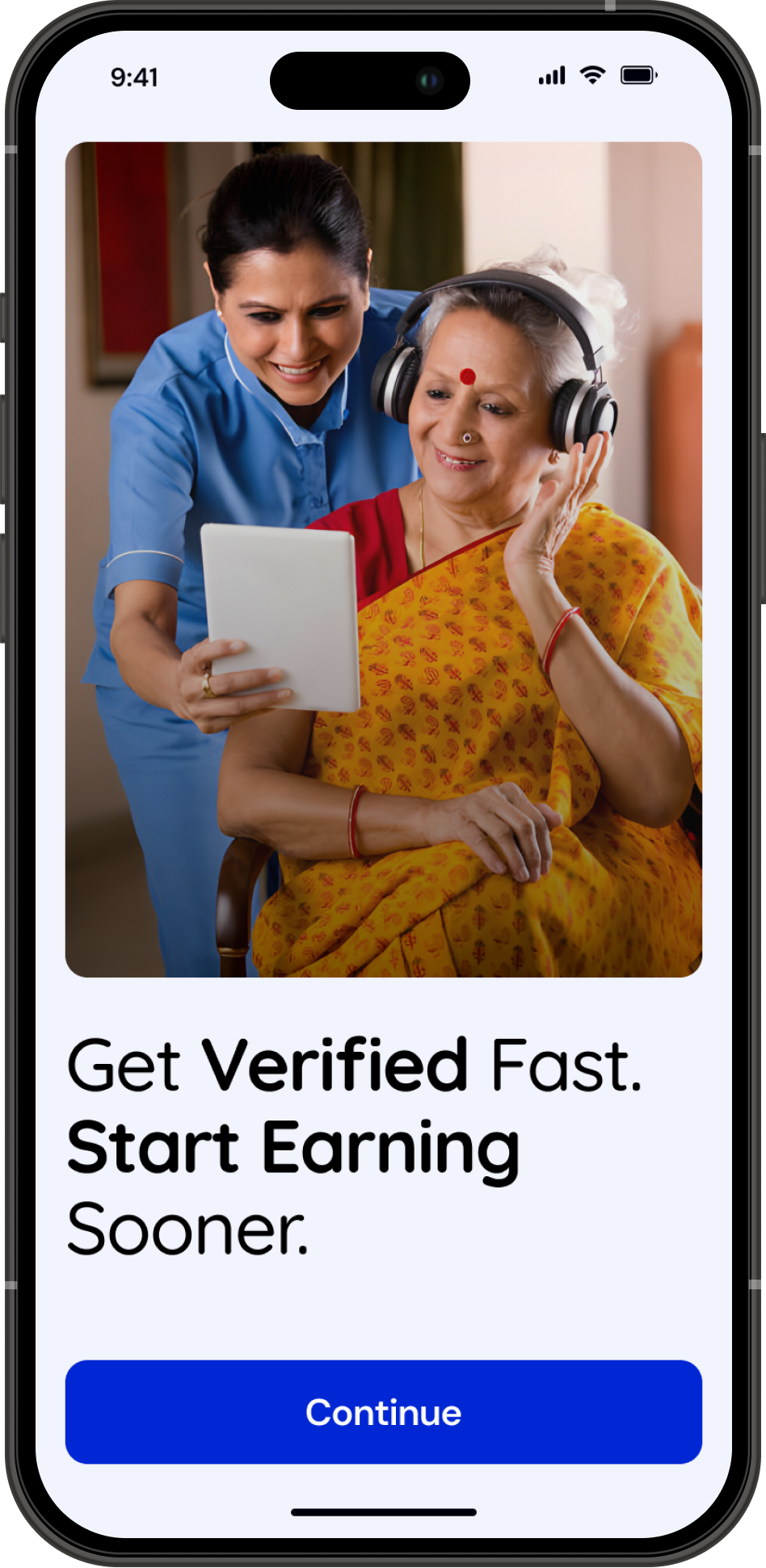
Simple onboarding focused on getting users earning quickly.
Login and sign-up are streamlined with OTP-based access, supported by a clear primary CTA for easy navigation.

Since the app currently serves only India, the country code selector has been intentionally excluded to reduce friction.
Profile Creation
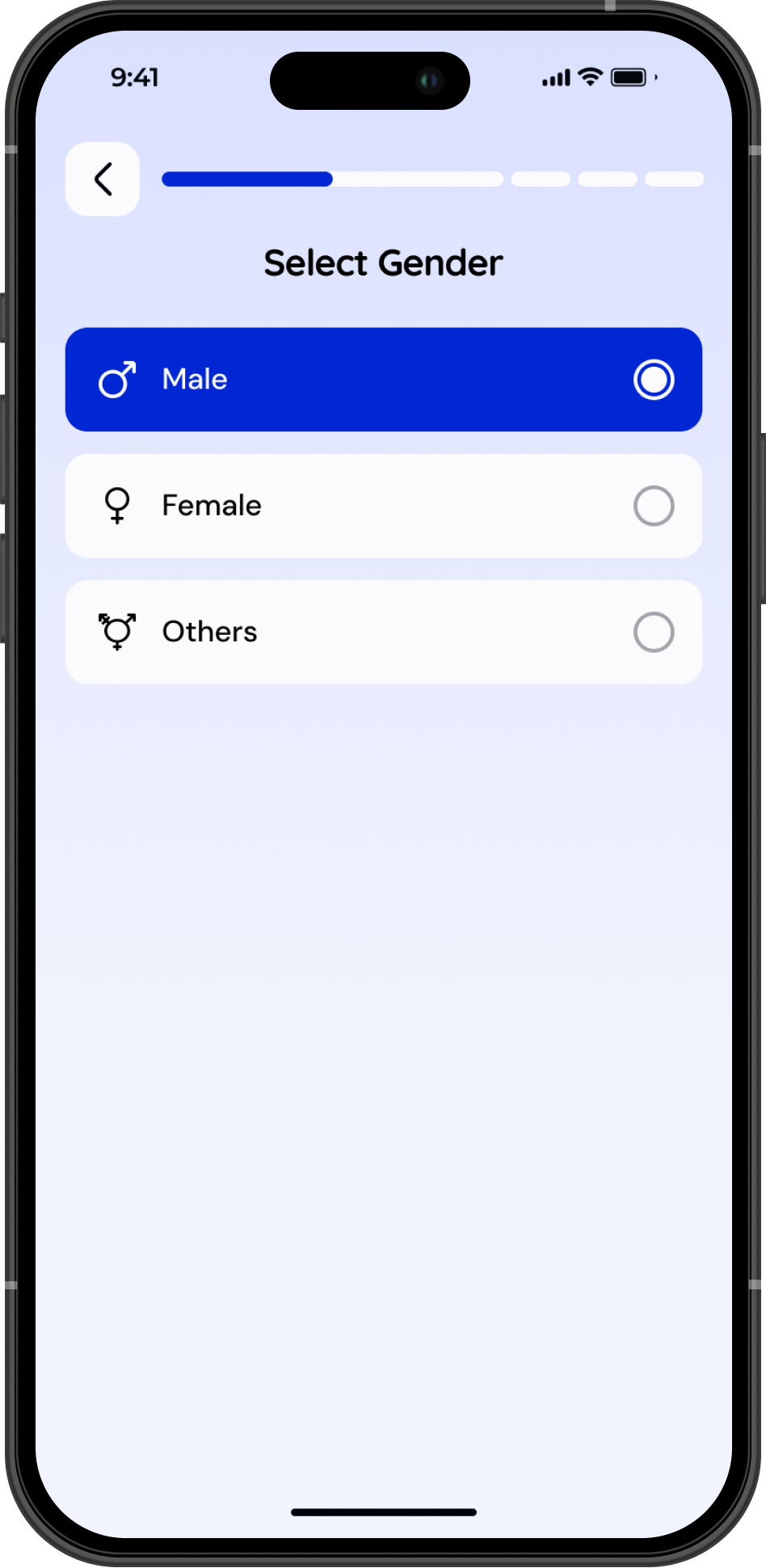
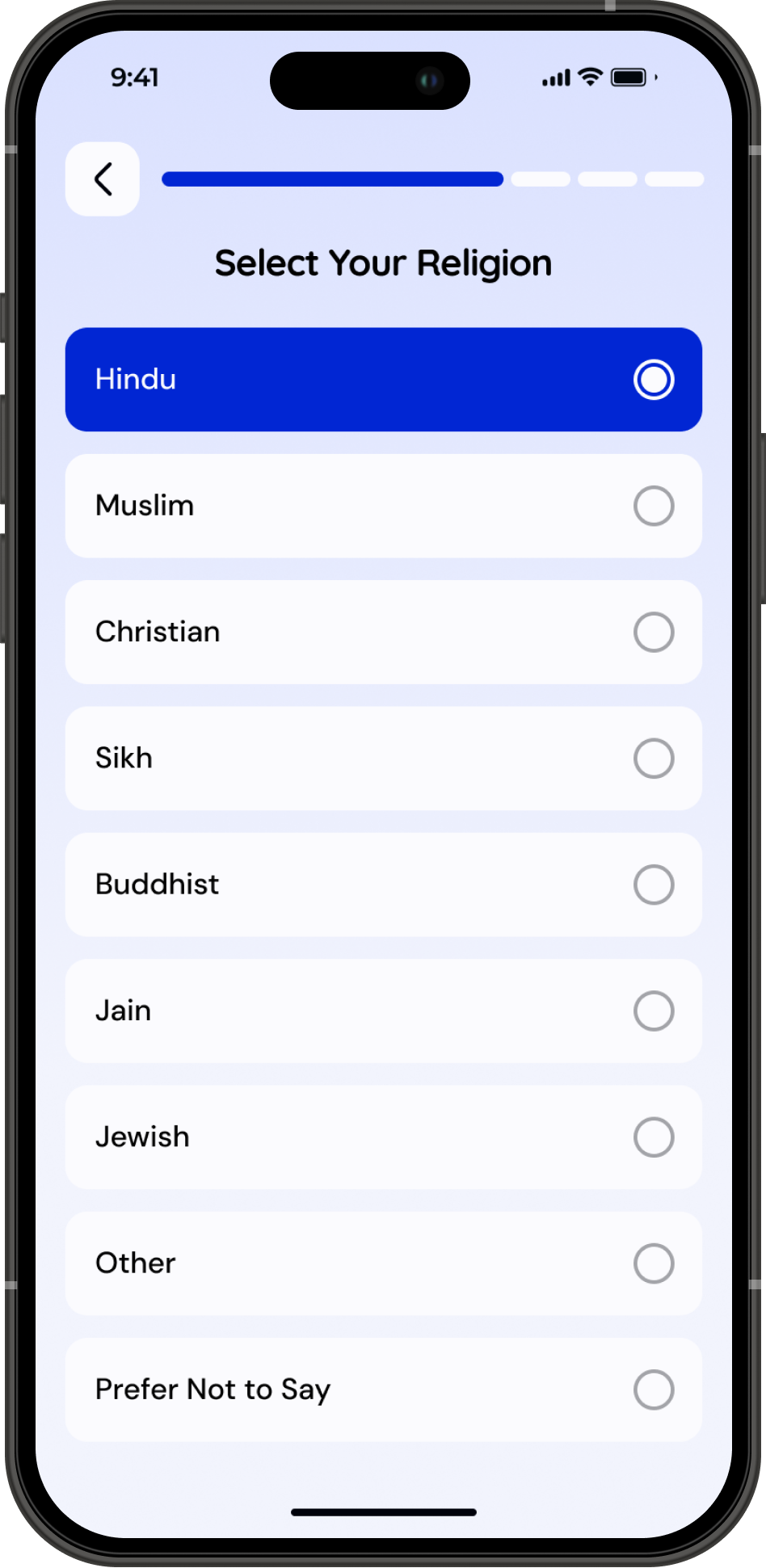

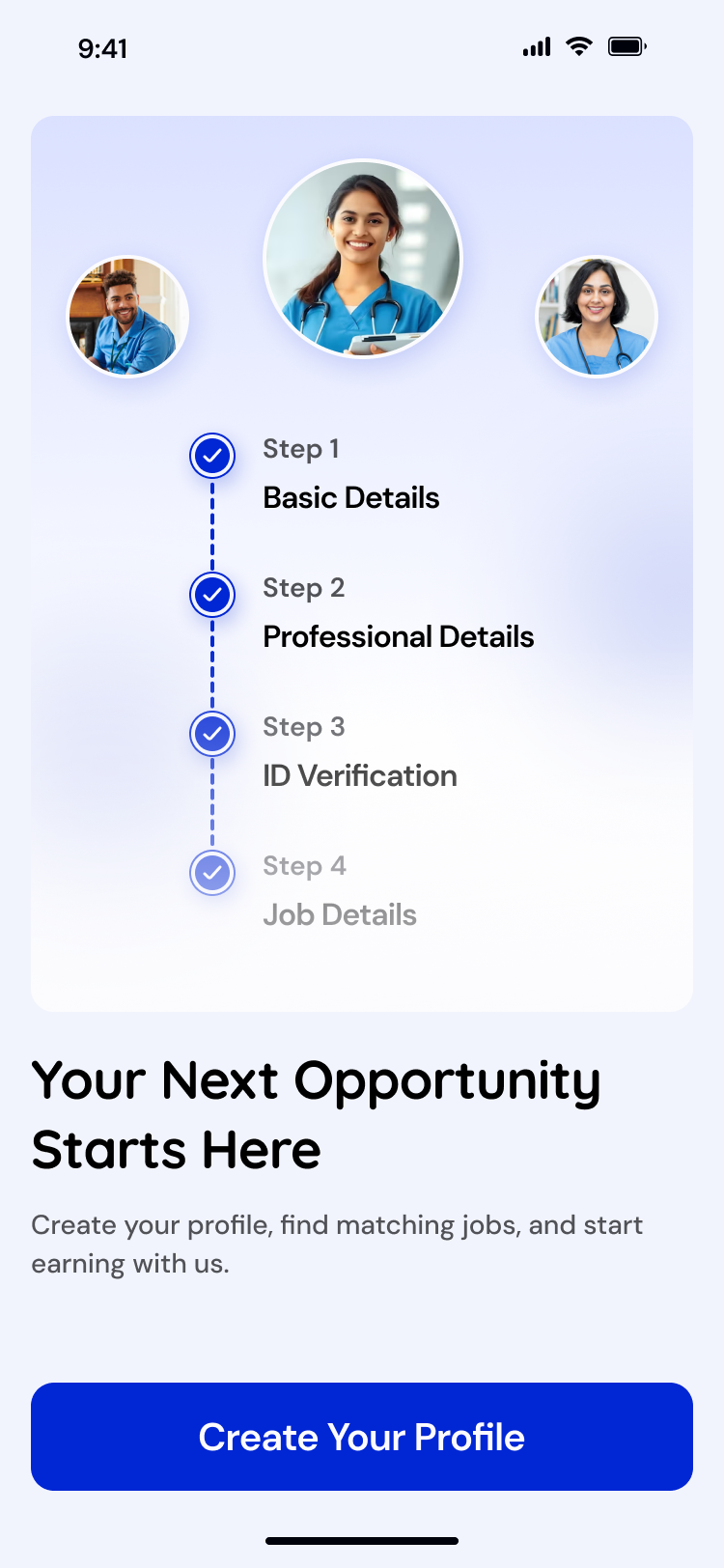
Step 1 - Basic Details Made Simple
Users begin with the essentials: name, age, gender, photo, and contact information. The flow keeps only the must-have fields to reduce friction and help them move forward quickly.
Step 2 - Role & Work Preferences
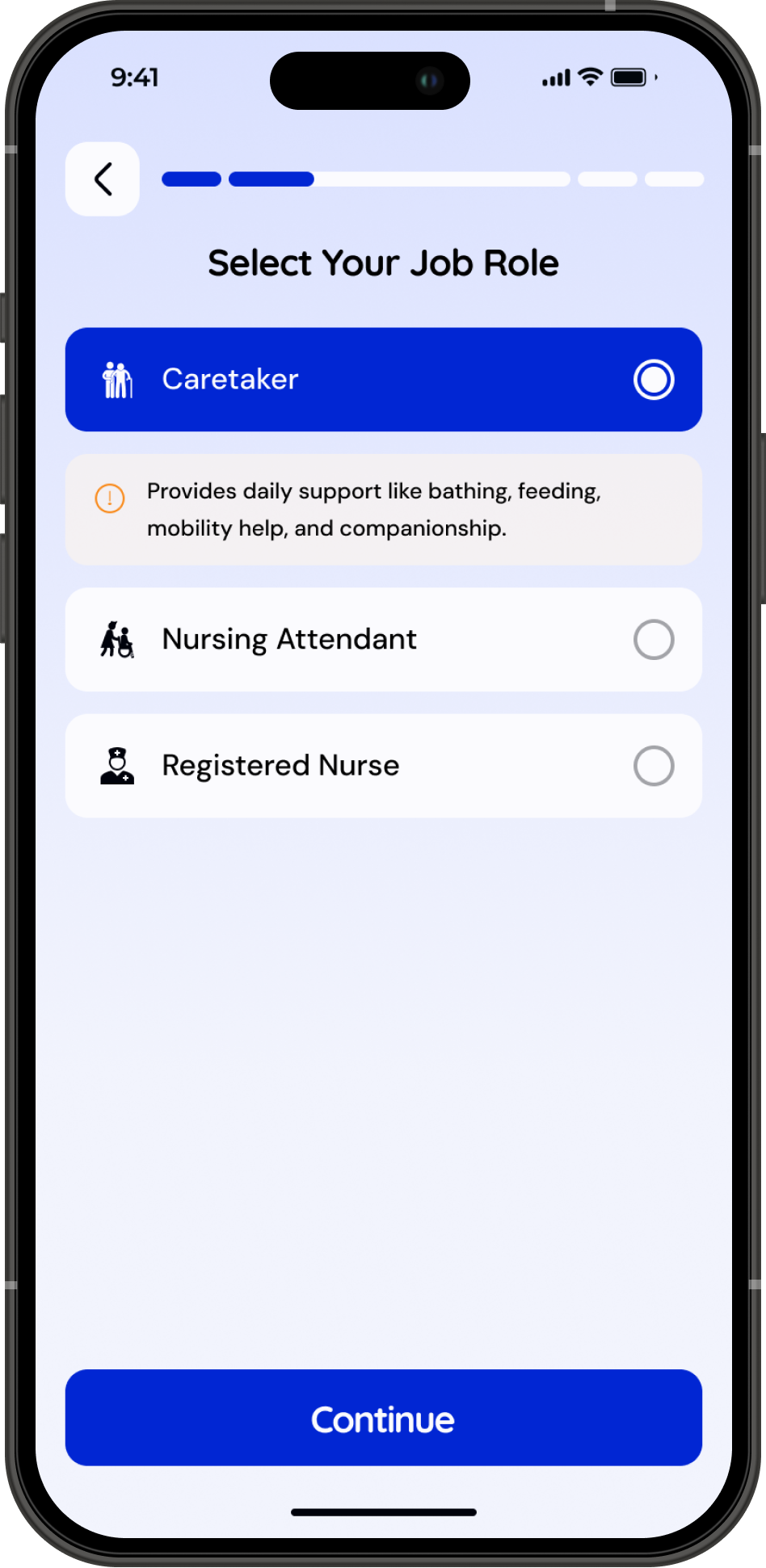
Caregivers and nurses choose their role and view a short, clear list of responsibilities. This keeps expectations aligned and helps the system show only relevant job opportunities later.
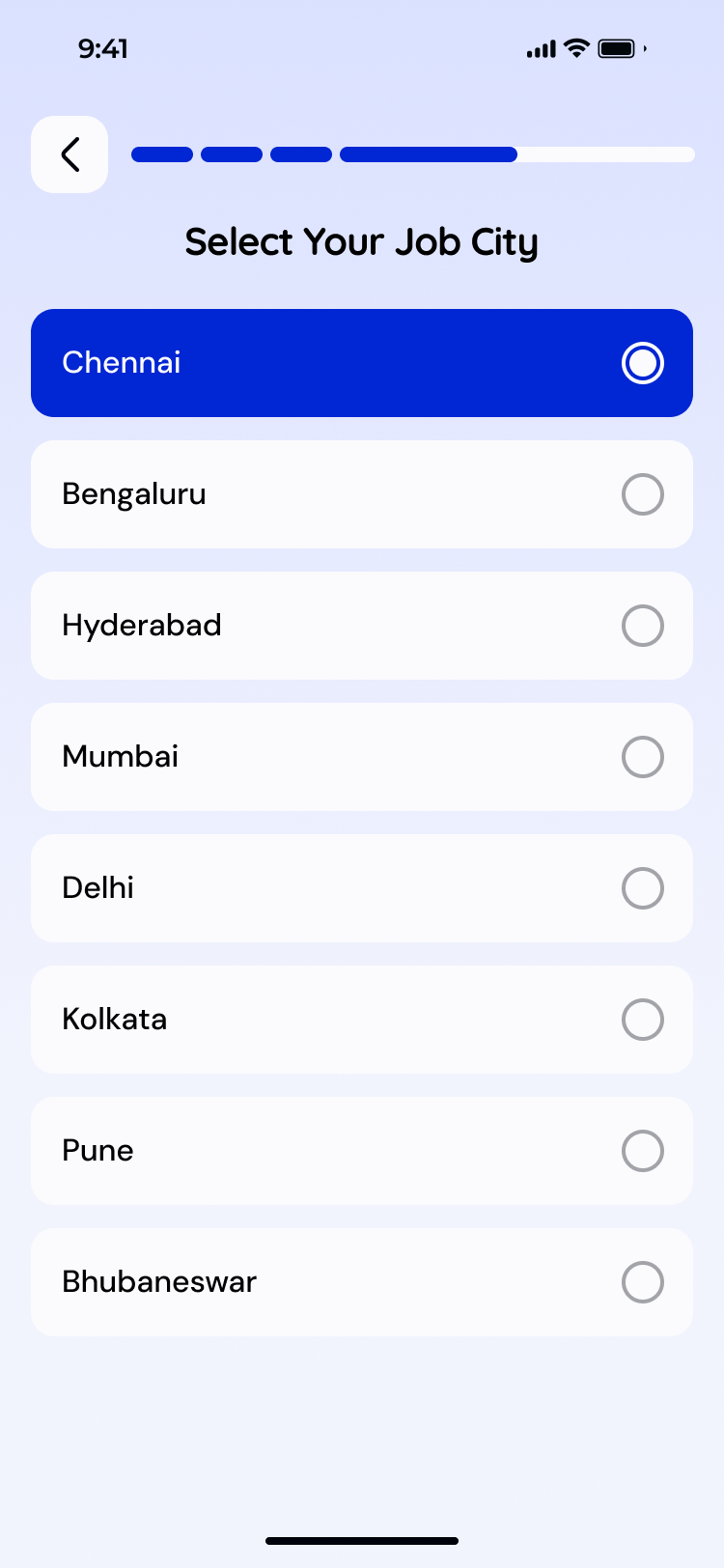
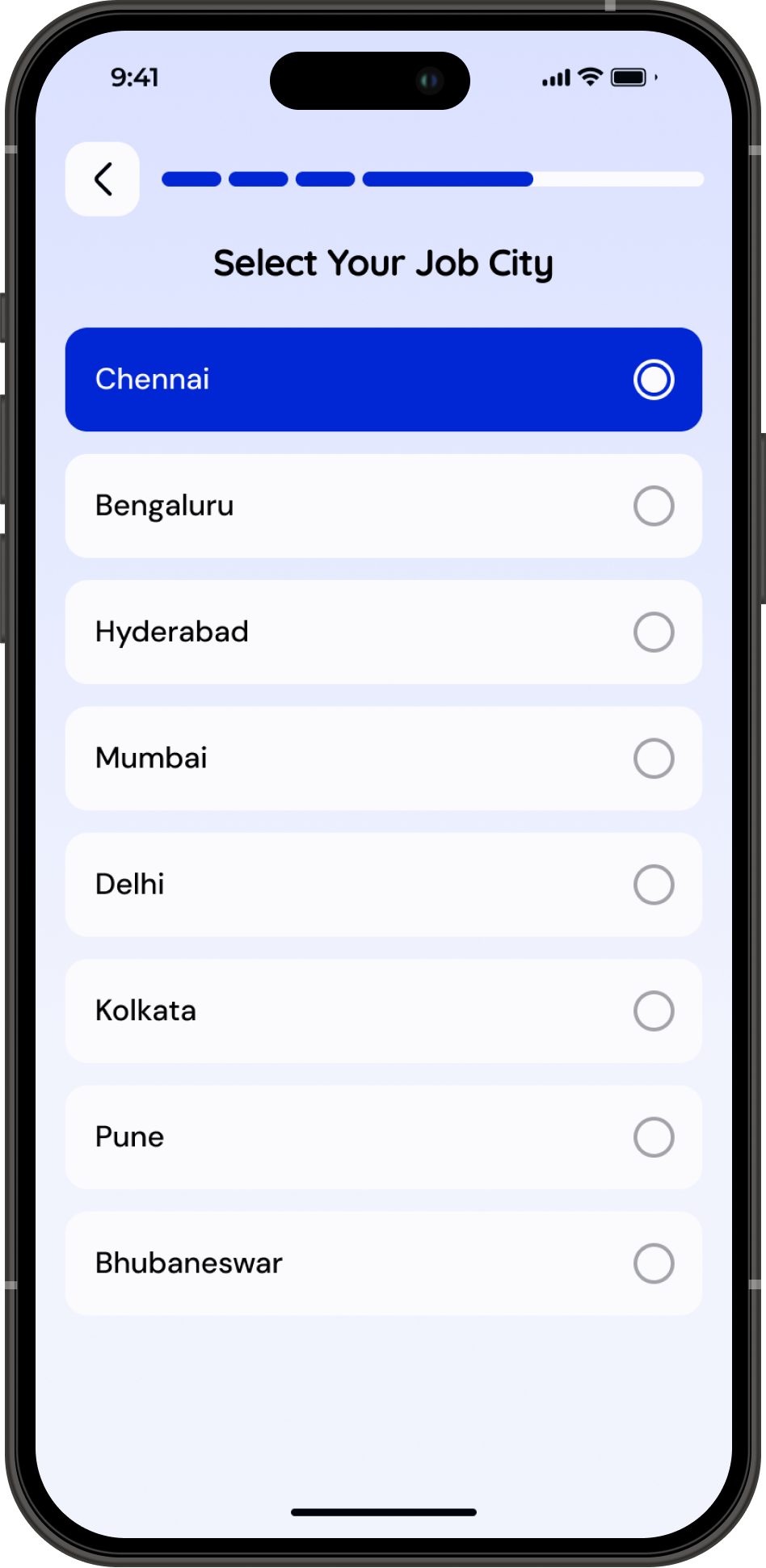
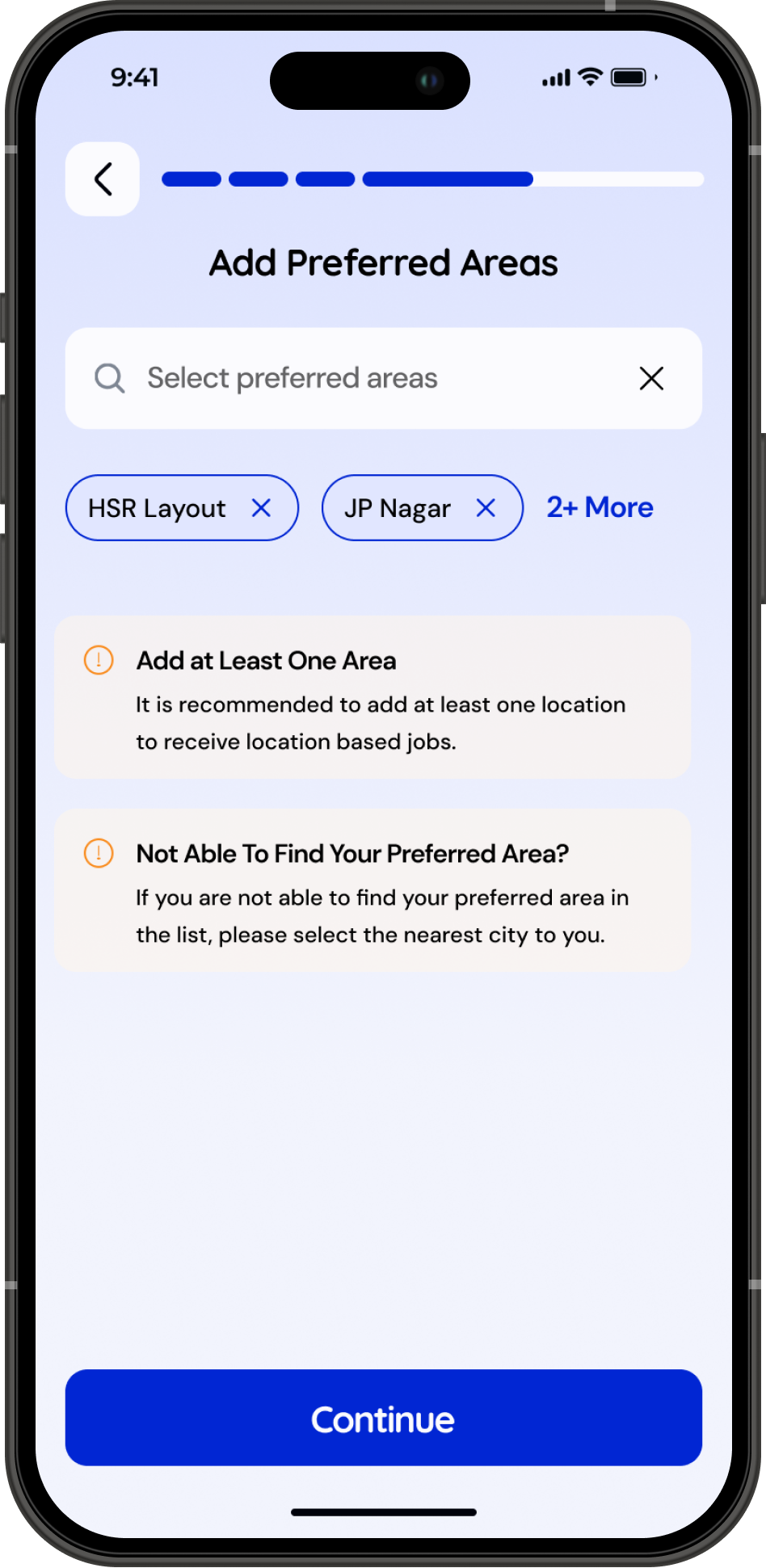
Step 4 - Choose Preferred Locations
Users select the city and specific areas where they want to work. This makes job matching far more accurate and reduces mismatch during deployment.
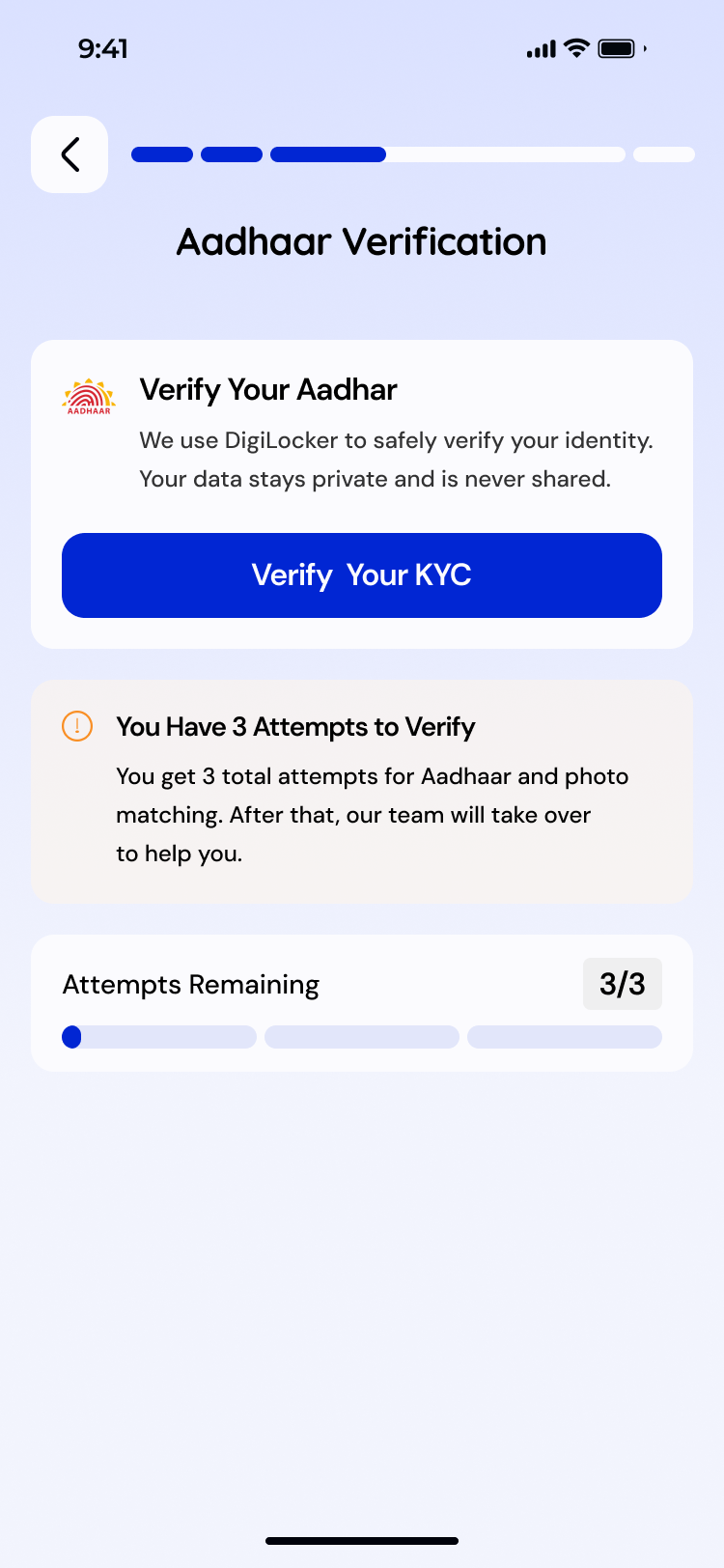
Step 3 - Aadhaar Verification for Trust & Safety
A secure Aadhaar upload and validation step ensures identity accuracy. It builds trust for both customers and internal teams handling background checks.
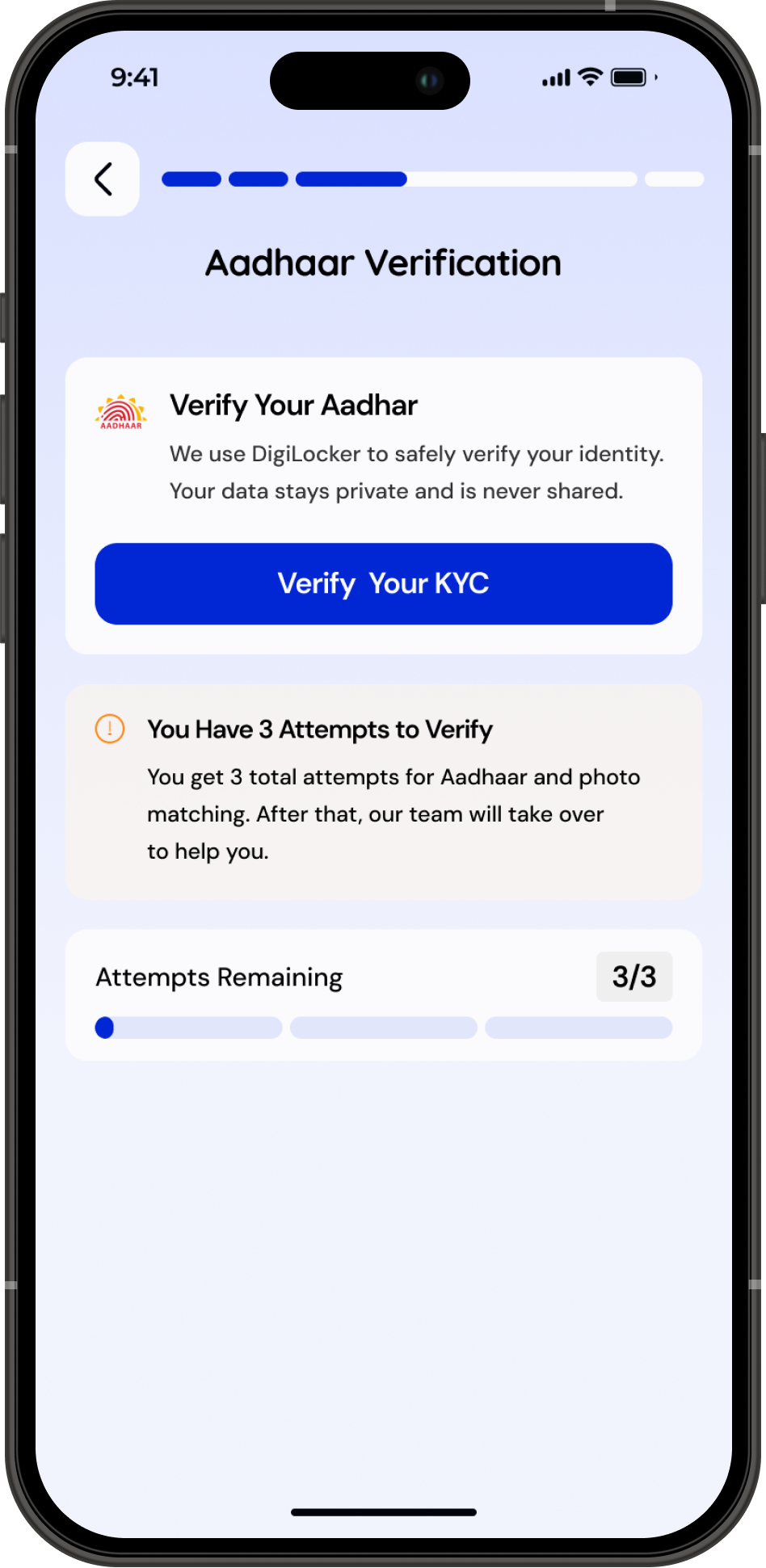
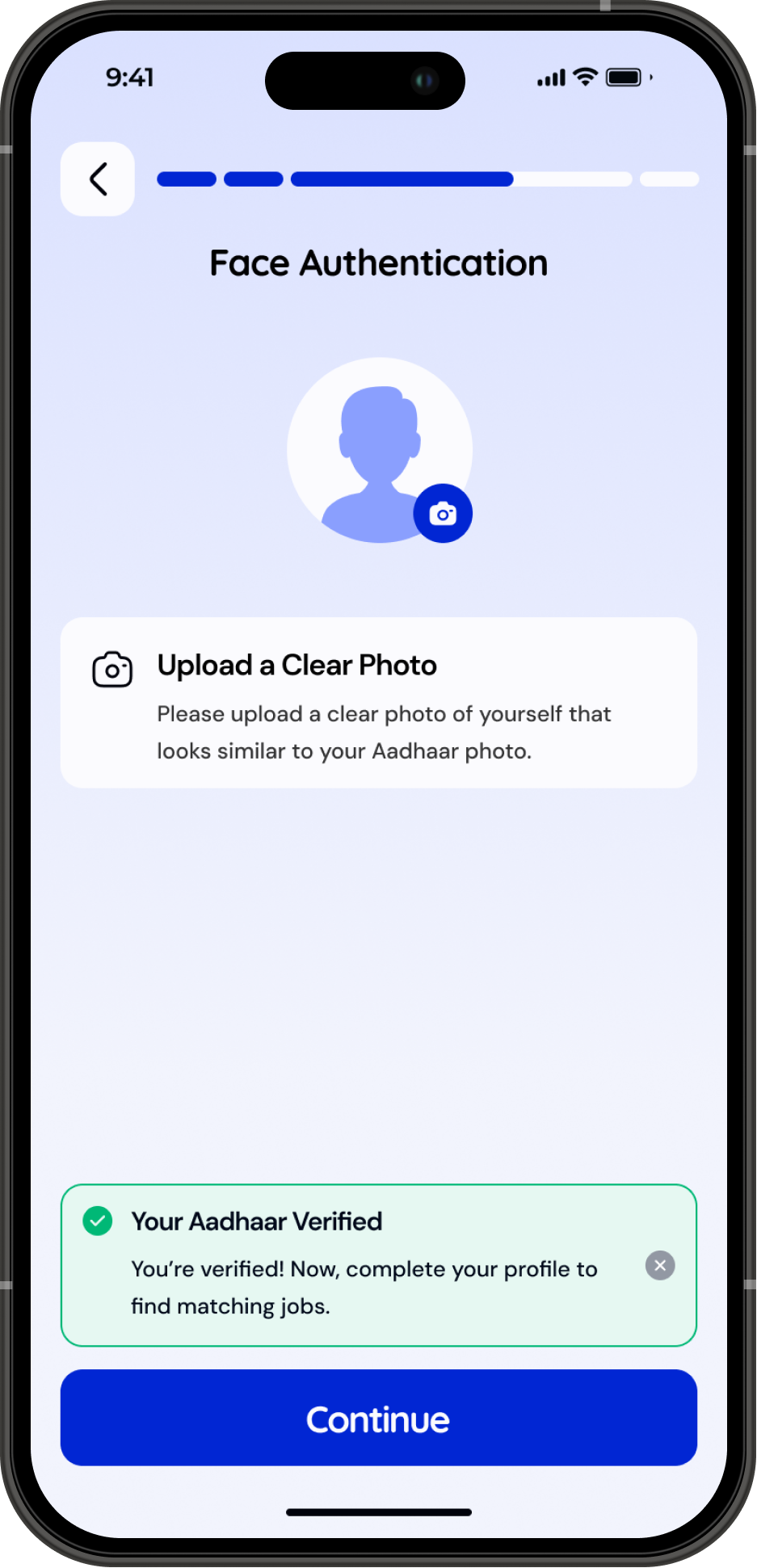
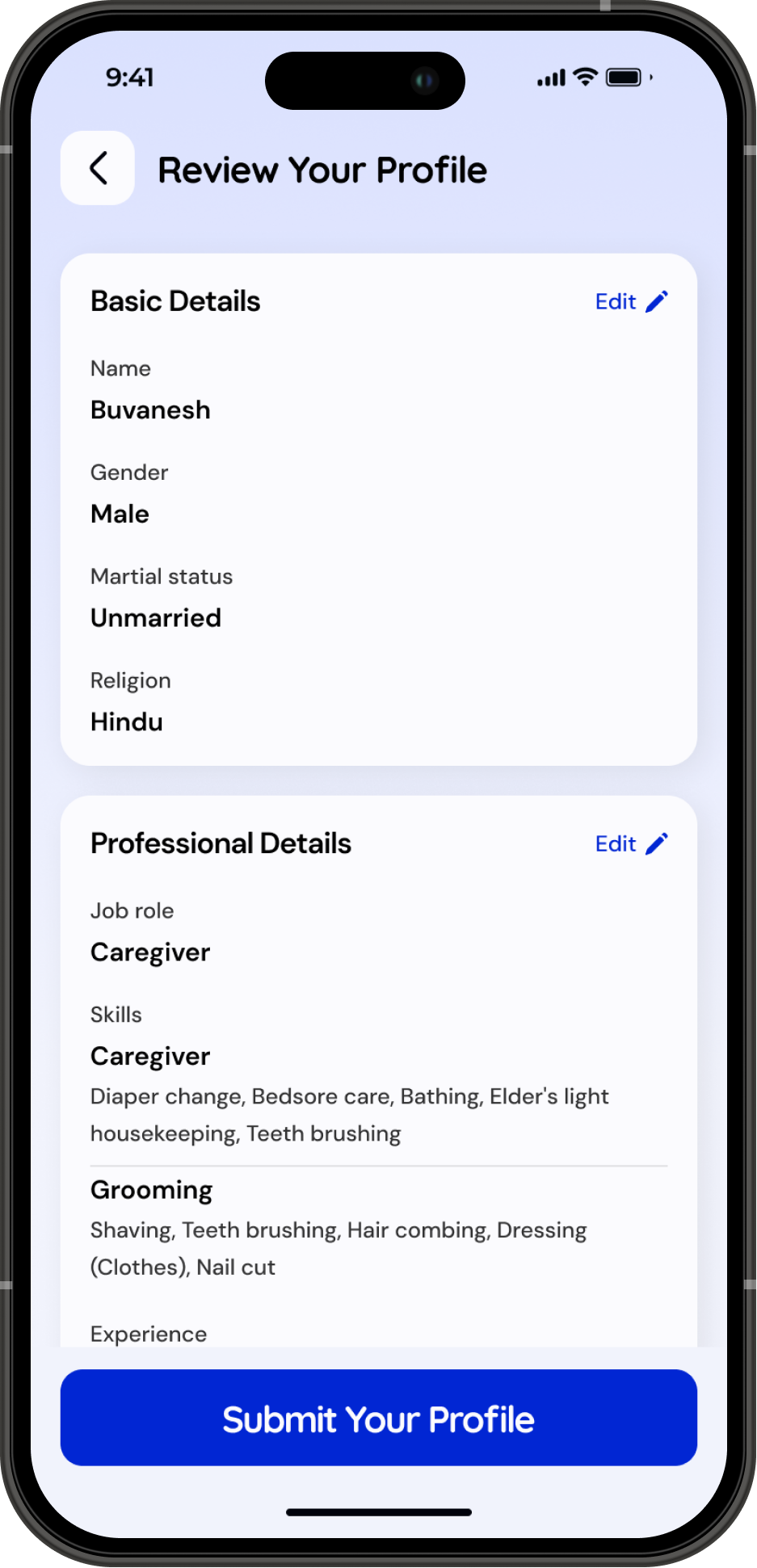
A simple 4-step profile setup guides caregivers through the basics, role selection, identity verification, and preferred work locations—making the onboarding clear, quick, and confidence-building.
Profile Approval

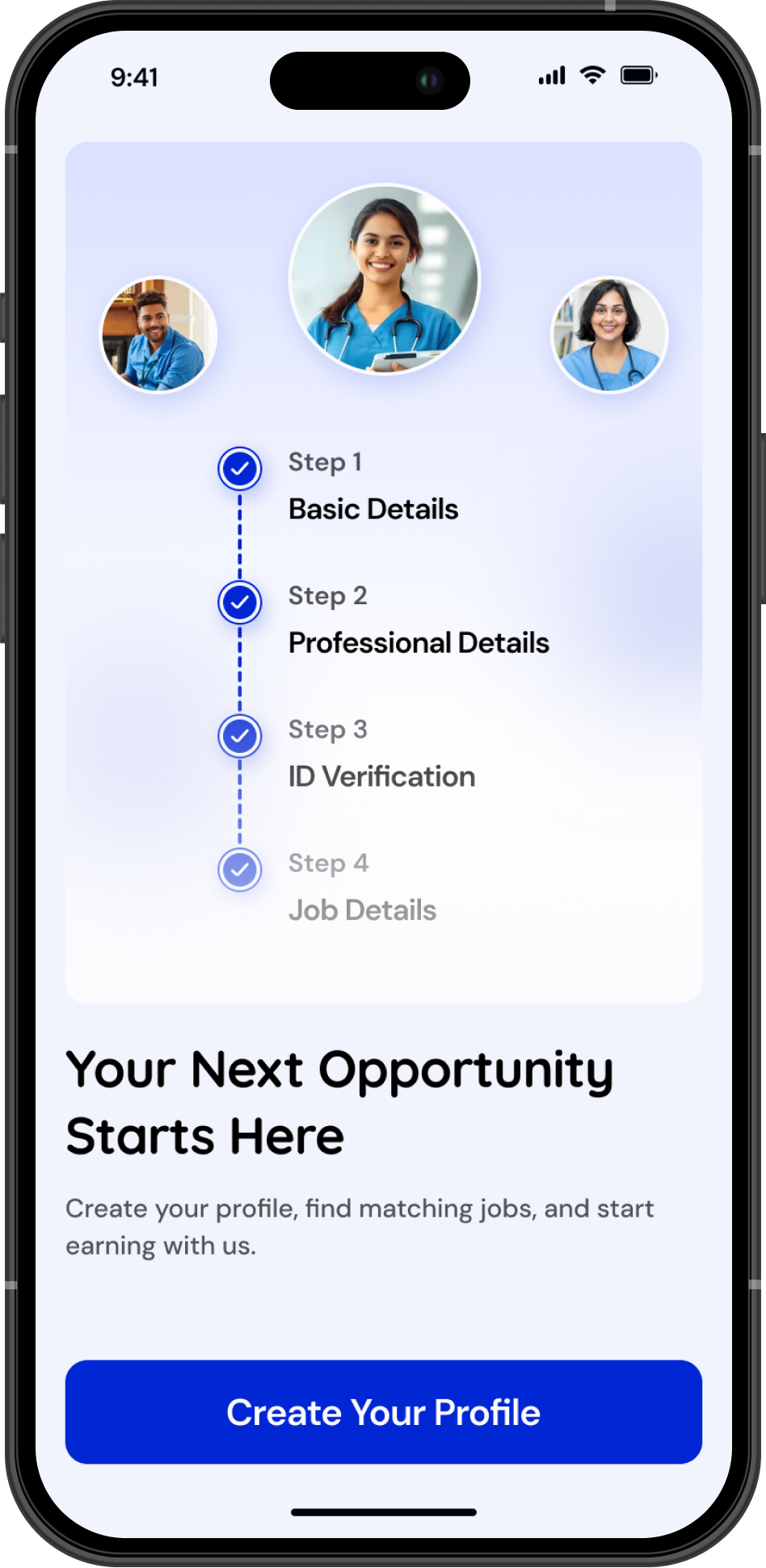
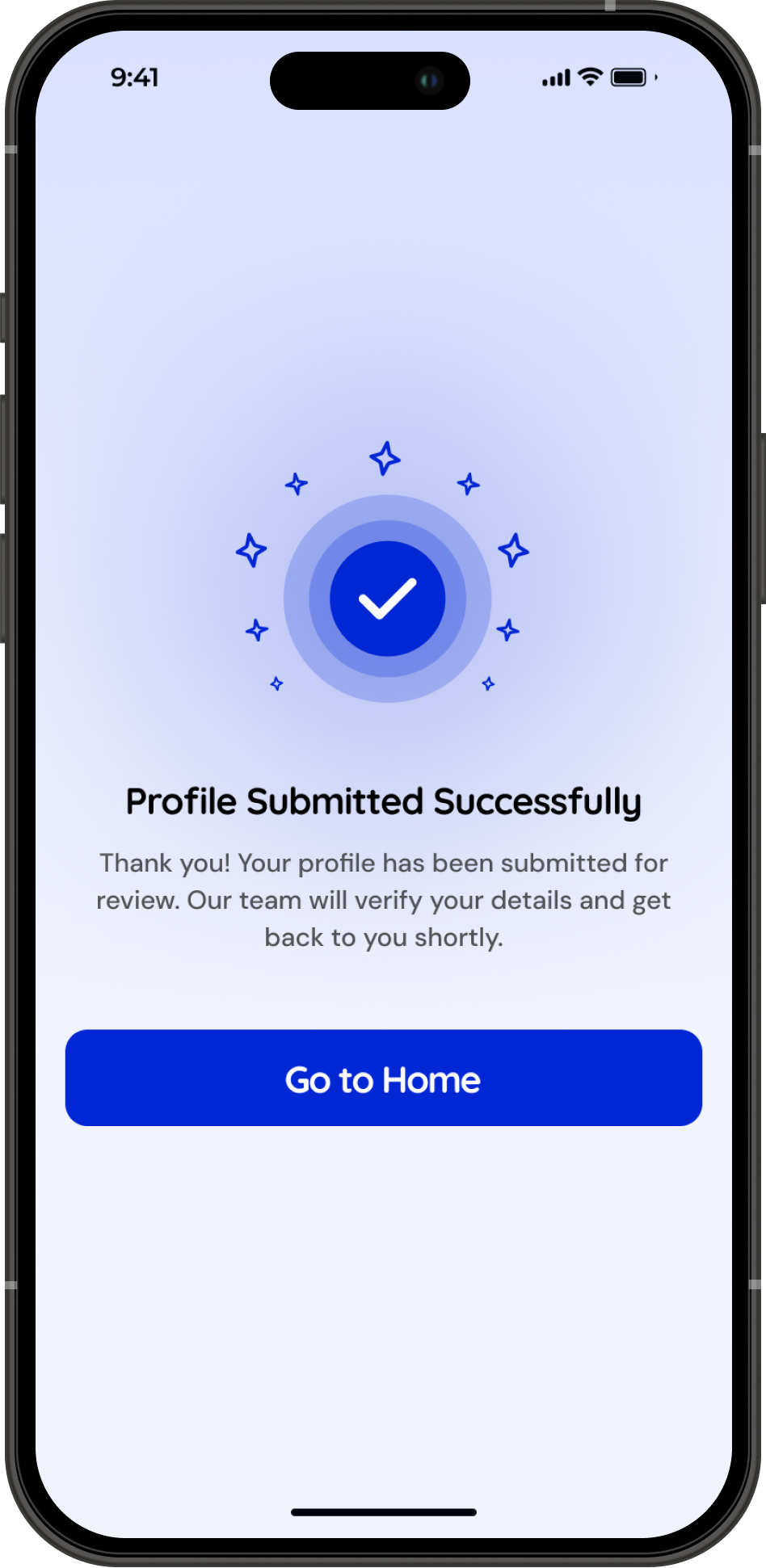
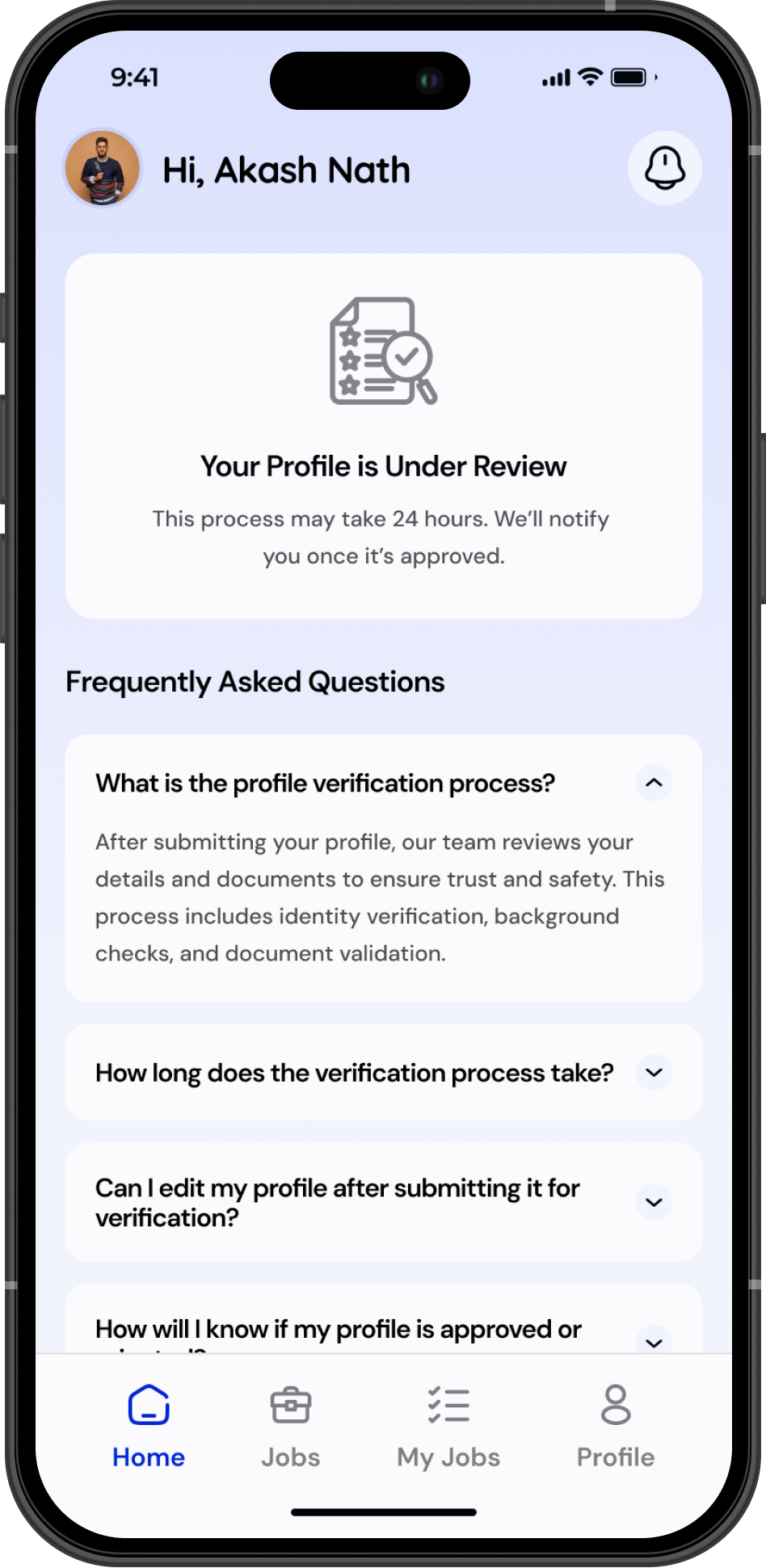
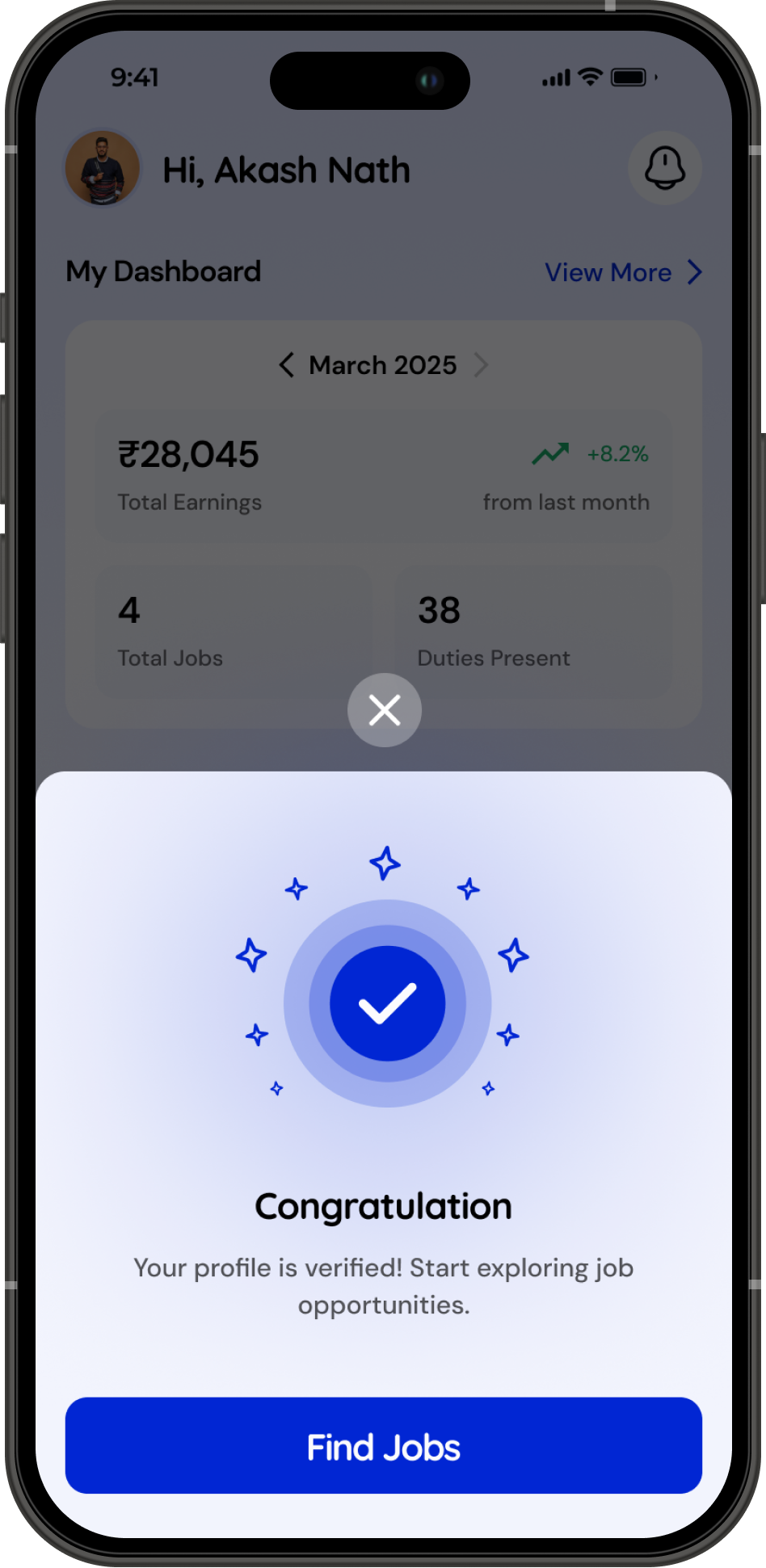
After submitting their profile, caregivers enter a 24-hour verification window for background and criminal checks. During this period, the home screen clearly shows their approval status along with FAQs to avoid confusion. Once approved, their full dashboard unlocks and they immediately start receiving matching job opportunities.
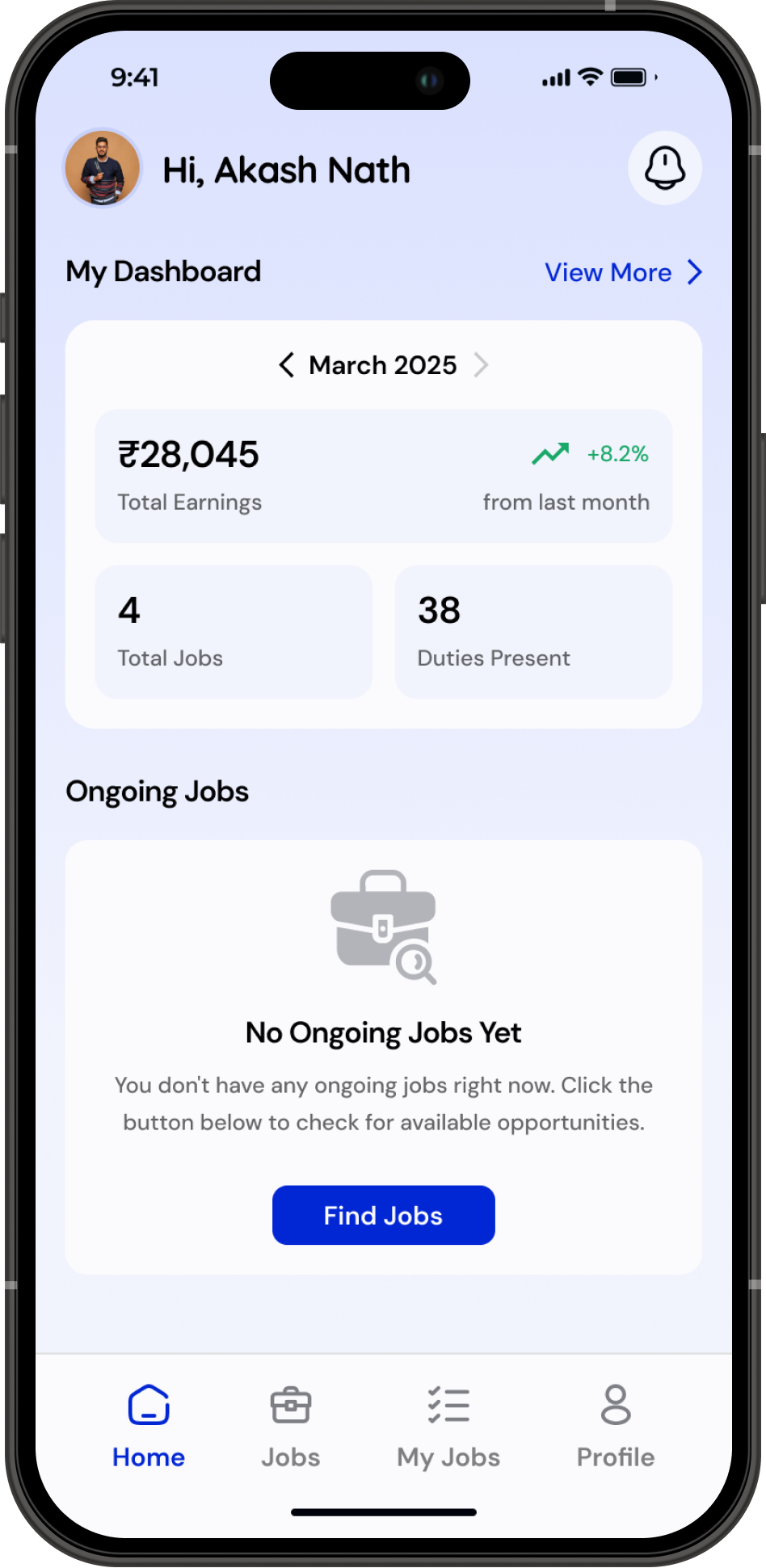
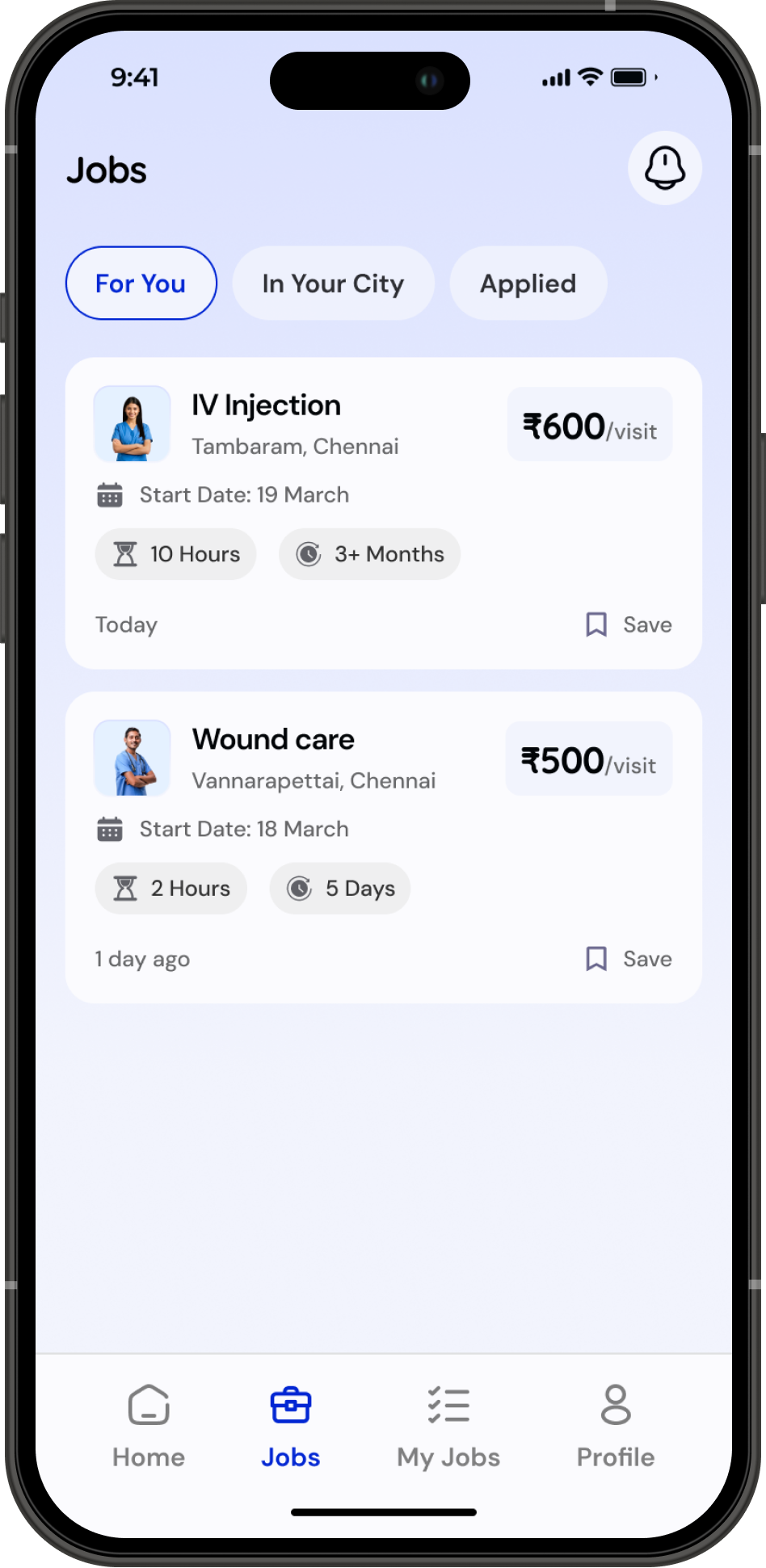
Start the Duty and Earn Money With Helpee

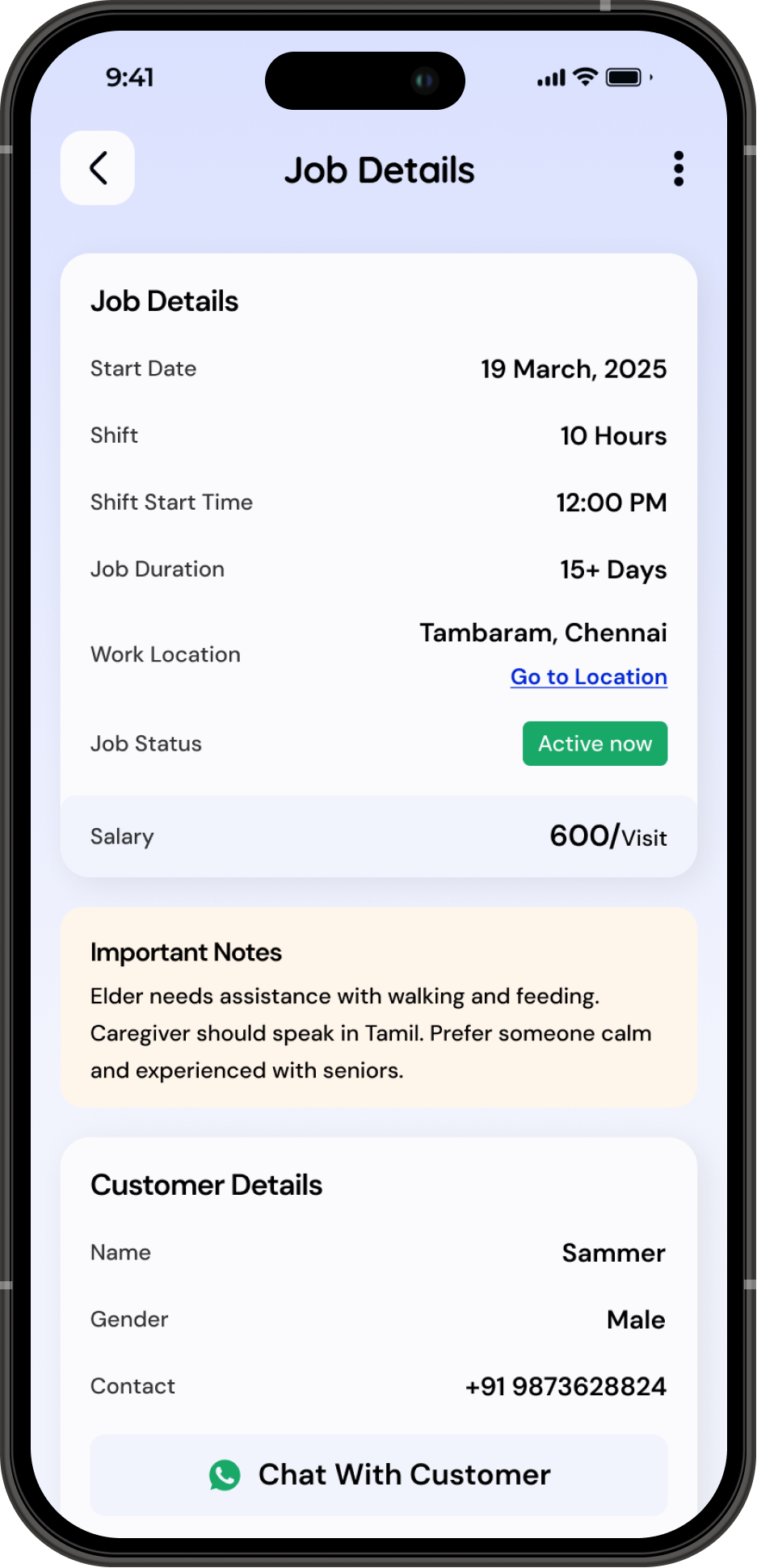
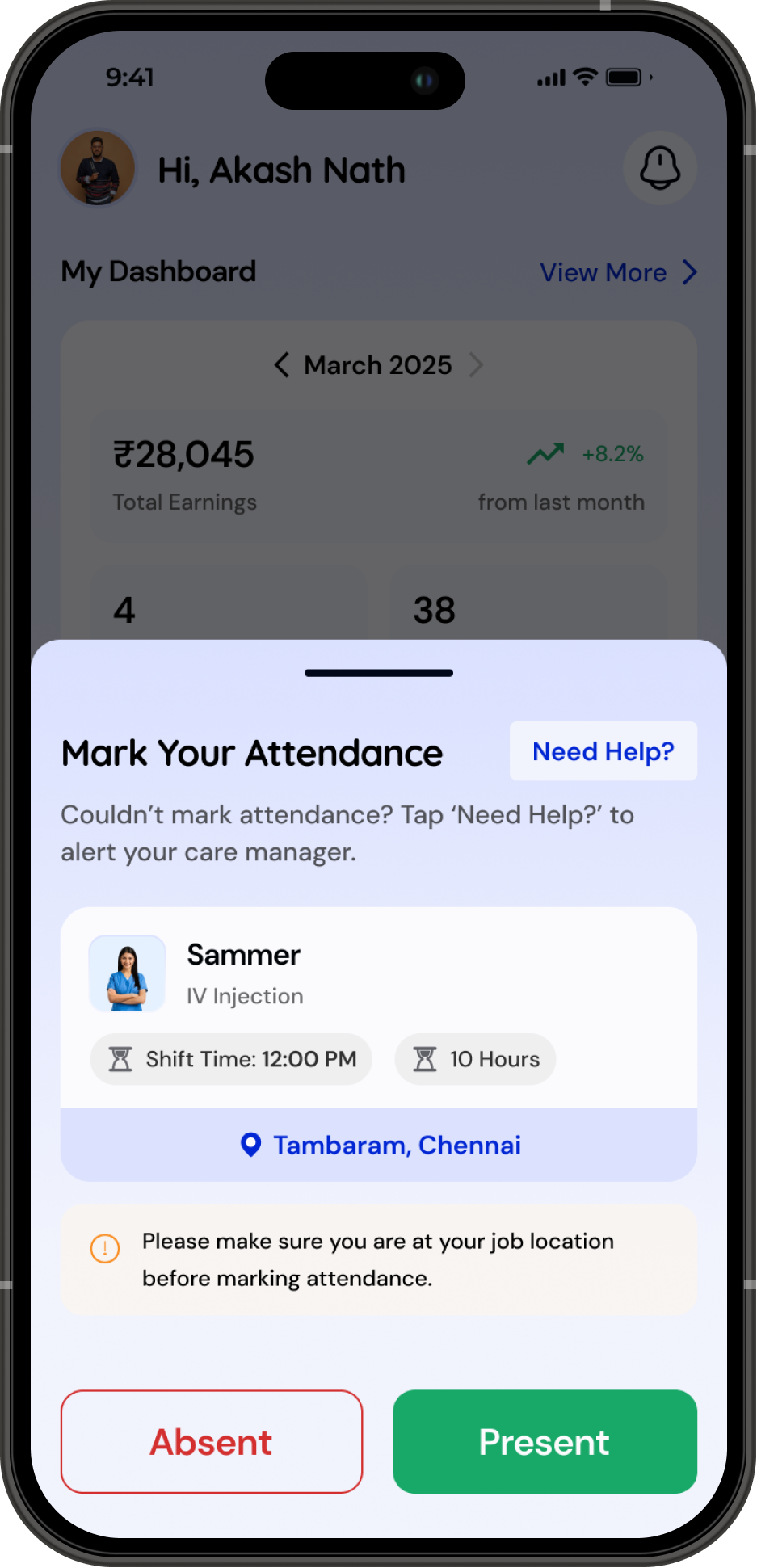
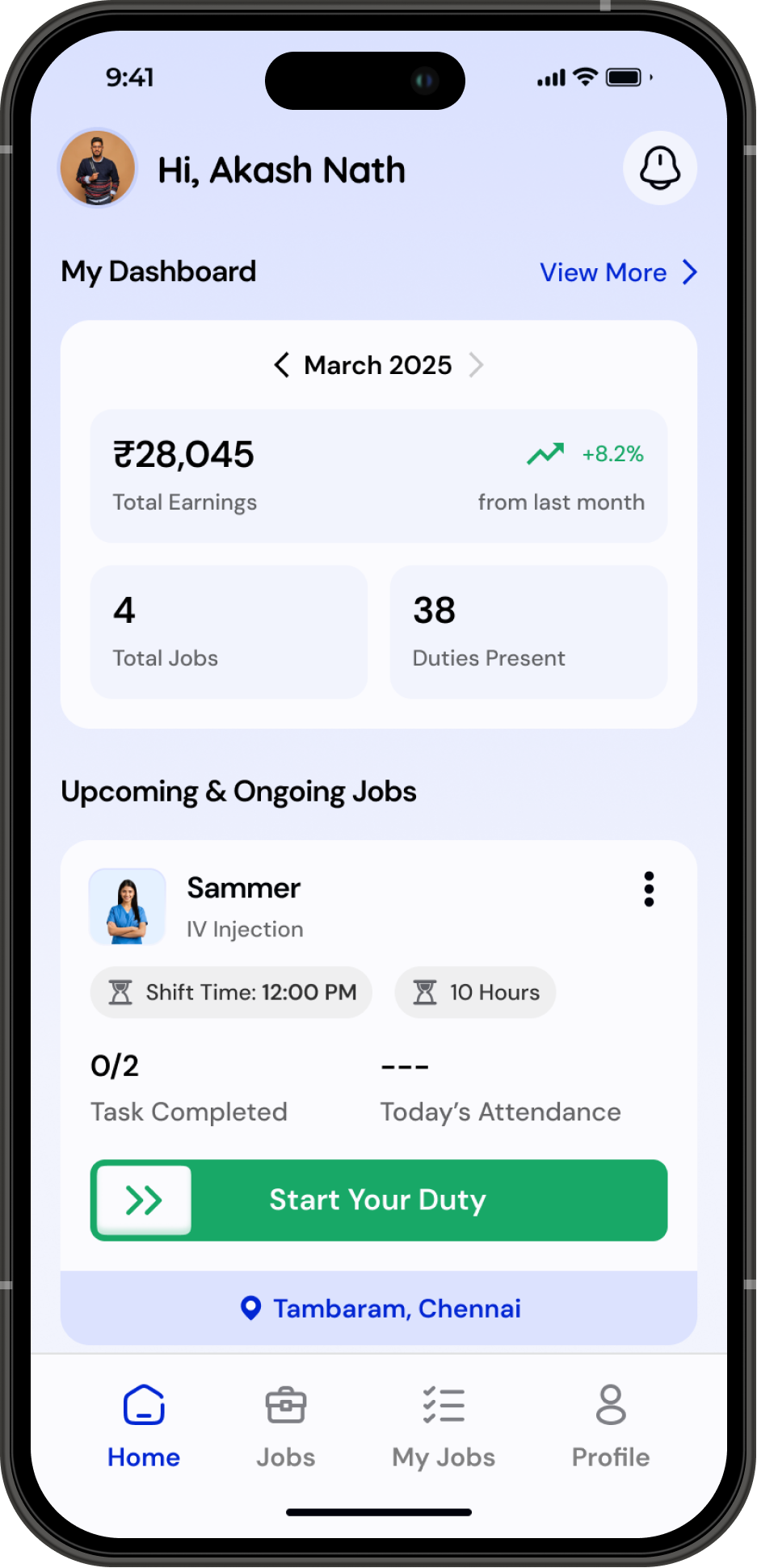
Caregivers can easily mark their attendance with a single tap and complete daily tasks through a clear, role-based checklist. Their earnings and monthly attendance are updated in real time, giving them a transparent view of how much they’ve worked and how much they’ve earned, without depending on anyone else for updates.
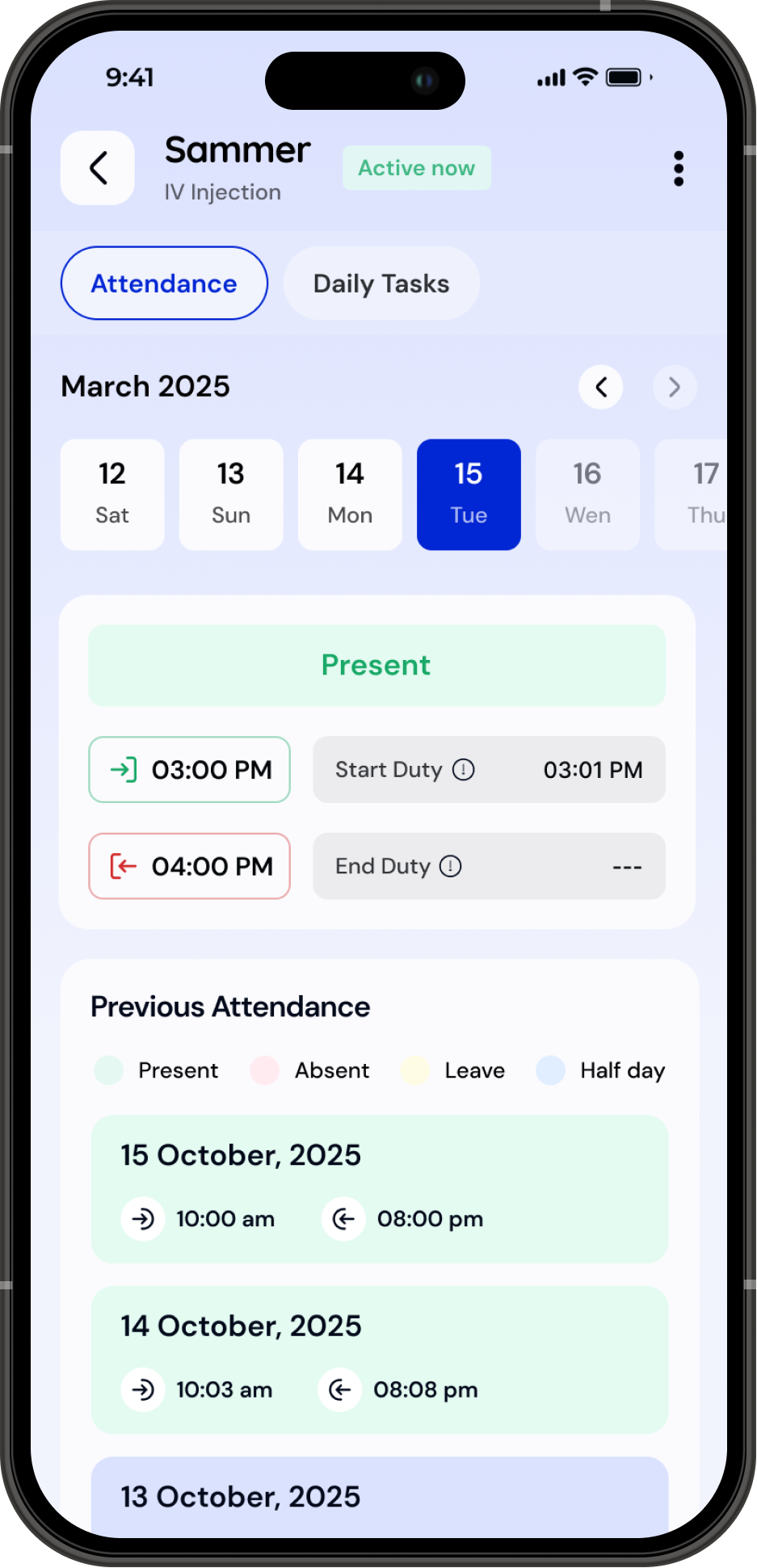
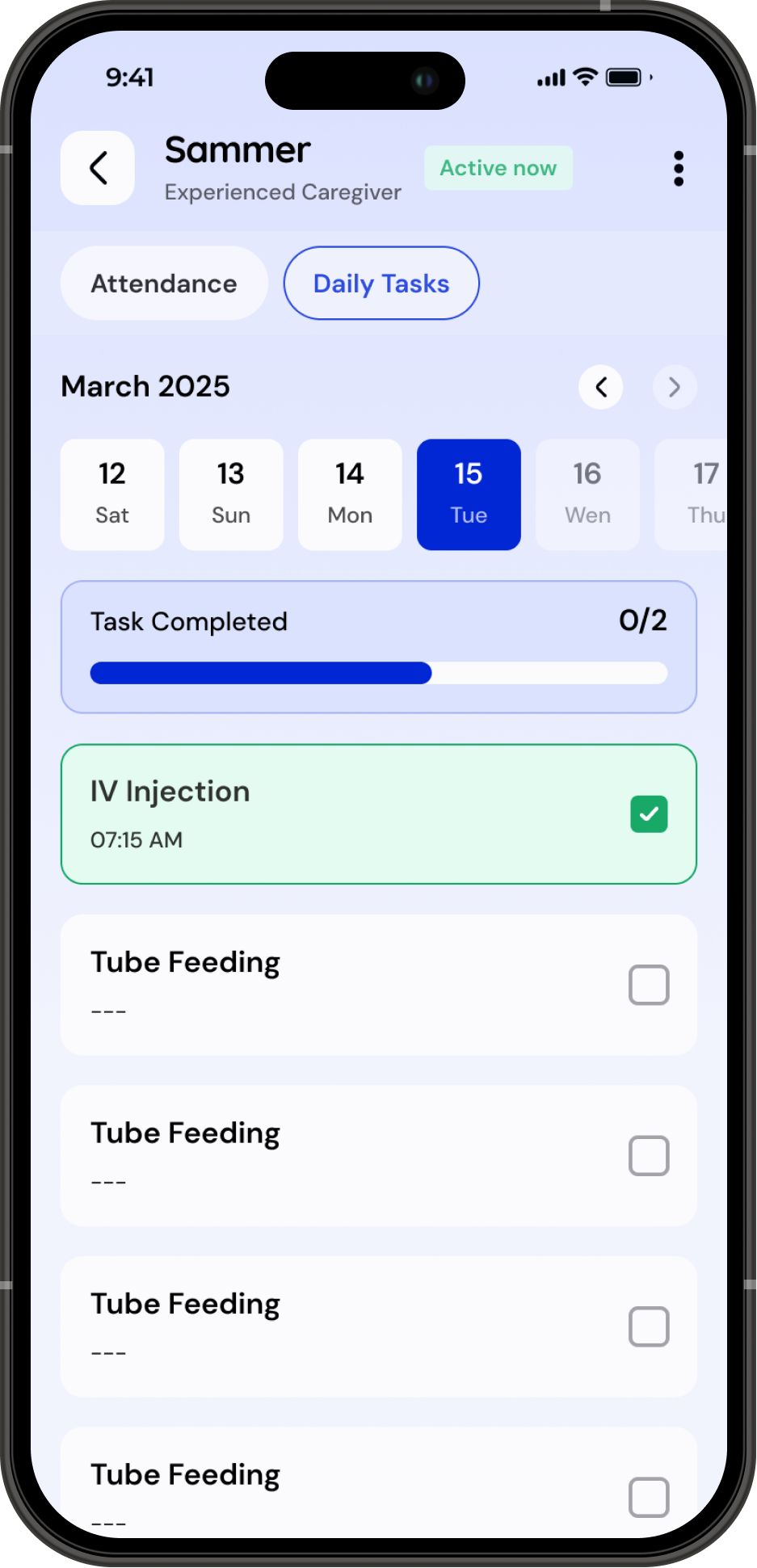
Impact & Outcomes
Supply fulfillment increased by 22%
A smoother profile creation flow + better job, caregiver matching helped more caregivers complete onboarding and become available for deployment.
22%
Emergency requirement fulfillment improved by 38%
Faster matching and verified caregiver profiles reduced delays in deploying caregivers for urgent needs.
38%
Thank You For Scrolling!


Helpee Hands (Partner App)
Find a Matching Job
Track your Attendance
Track your Earnings
About the Project
This app helps caregivers find the right jobs quickly by matching their profiles with customer needs while giving them a simple way to manage attendance, tasks, and earnings. It bridges the gap between caregivers, customers, and care managers to create a smoother, more transparent care experience.
Design Process
1
Understanding & Research
(1-2 Weeks)
2
Ideation & User Journey
(2- 3 Weeks)
3
Styles & Design
(3 - 5 Weeks)
4
Testing & Iteration
(5 - 8 Weeks)
Problem Statement
- Many confirmed leads fail because we can’t quickly find the right caregiver who matches the customer’s needs.
- Matching caregivers to the right jobs was inefficient, since job requirements and caregiver details weren’t aligned in a unified, structured system.
- Caregivers lacked a clear way to mark attendance, track earnings, and stay connected with customers, leading to confusion and weak service transparency.
These issues impact customer trust, reduce successful deployments, and weaken overall service quality.
Key Insights From Users
- Simple profile creation with clarity on job roles
- Job recommendations based on skills, location, and availability
- Transparent attendance and daily task workflow
- Easy way to track how much they earned


Solution
1
Structured Profile Creation for Better Matching
Caregivers create a complete, verified profile with a role selection, experience, skills, location, and availability. This structured data increases the quality of matches and boosts the lead-to-deployment conversion with a seamless experience. This seamlessness is achieved by reducing cognitive load for all users.


2
Job Matching With Location
The app surfaces relevant jobs based on the caregiver’s profile, preferred location, and skill level. This improves matching accuracy and reduces time spent searching through irrelevant job postings.

3
In-App Attendance, Tasks & Earnings Tracking
Caregivers can mark attendance, update daily tasks, and monitor their earnings inside the app. This builds discipline, reduces dependency on manual communication, and increases transparency for both caregiver and customer.
To create a clear foundation for the design, I drafted the full user flow to understand every step of the caregiver journey.
User Flow
Styles
Colors
Typography
Buttons
#0126D3
#0934FE
#18A867
#D32F2F
#F98F25
#00020B
#66676D
#F2F4FD
I selected Quicksand for headings to bring a friendly, approachable personality to the interface, while DM Sans is used for body text and descriptions to ensure high readability and smooth scanning across screens.
Quicksand
DM Sans
Bold
SemiBold
Medium
User Journey With Screens
Onboarding & Login

Simple onboarding focused on getting users earning quickly.
Login and sign-up are streamlined with OTP-based access, supported by a clear primary CTA for easy navigation.

Since the app currently serves only India, the country code selector has been intentionally excluded to reduce friction.
Profile Creation
Step 1 - Basic Details Made Simple
Users begin with the essentials: name, age, gender, photo, and contact information. The flow keeps only the must-have fields to reduce friction and help them move forward quickly.
Step 2 - Role & Work Preferences
Caregivers and nurses choose their role and view a short, clear list of responsibilities. This keeps expectations aligned and helps the system show only relevant job opportunities later.
Step 4 - Choose Preferred Locations
Users select the city and specific areas where they want to work. This makes job matching far more accurate and reduces mismatch during deployment.
Step 3 - Aadhaar Verification for Trust & Safety
A secure Aadhaar upload and validation step ensures identity accuracy. It builds trust for both customers and internal teams handling background checks.
A simple 4-step profile setup guides caregivers through the basics, role selection, identity verification, and preferred work locations—making the onboarding clear, quick, and confidence-building.
Profile Approval

After submitting their profile, caregivers enter a 24-hour verification window for background and criminal checks. During this period, the home screen clearly shows their approval status along with FAQs to avoid confusion. Once approved, their full dashboard unlocks and they immediately start receiving matching job opportunities.
Start the Duty and Earn Money With Helpee

Caregivers can easily mark their attendance with a single tap and complete daily tasks through a clear, role-based checklist. Their earnings and monthly attendance are updated in real time, giving them a transparent view of how much they’ve worked and how much they’ve earned, without depending on anyone else for updates.
Impact & Outcomes
Supply fulfillment increased by 22%
A smoother profile creation flow + better job–caregiver matching helped more caregivers complete onboarding and become available for deployment.
22%
Emergency requirement fulfillment improved by 38%
Faster matching and verified caregiver profiles reduced delays in deploying caregivers for urgent needs.
38%
Thank You For Scrolling!
